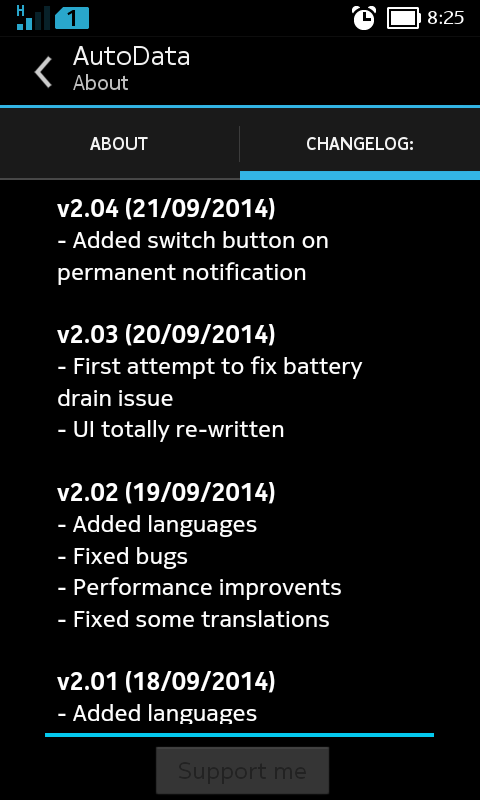
AutoData
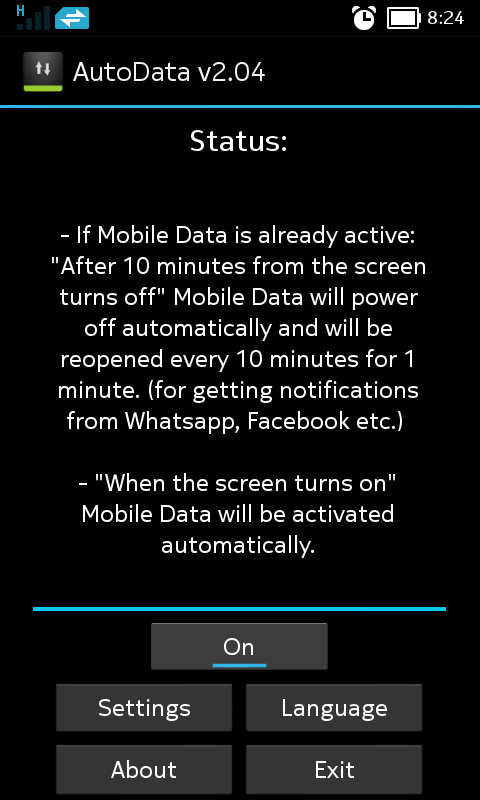
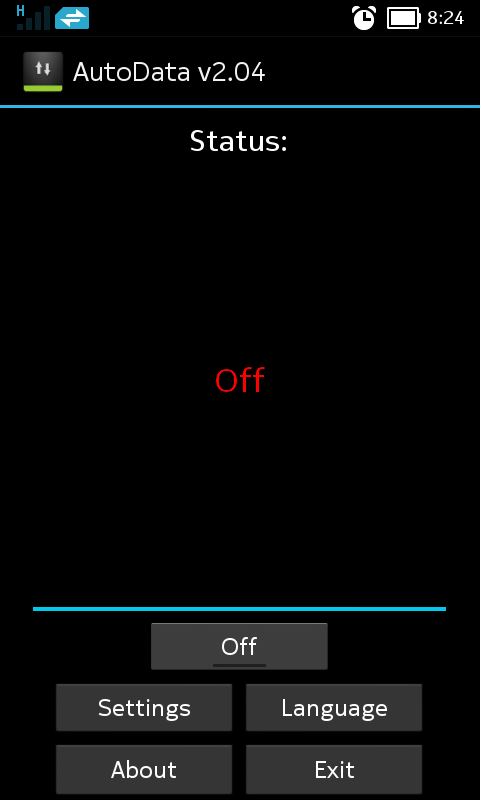
ကိုဖြင့္ၿပီးရင္ Status ေအာက္မွာ On ဆိုတာကိုေတြ႔ရမွာပါ။ ဒါက AutoData
အလုပ္လုပ္ေနၿပီ ဆိုတာ ျပသတာပါ။ App က Status ေအာက္မွာ ရွင္းျပထားတာက Screen
ပိတ္လိုက္ၿပီးေနာက္ ဆယ္မိနစ္ၾကာရင္ Mobile Data ကို အလိုလို ပိတ္ေပးမွာပါ။
Whatsapp, Facebook တို႔မွ Notification မ်ားကို ရရွိဖို႔ ၁၅
မိနစ္ၾကာတိုင္း ၁ မိနစ္ Mobile Data ကို ျပန္ဖြင့္မွာ ျဖစ္ပါတယ္။
အဲဒီအခ်ိန္ေတြကို Settings ထဲမွာ သင့္စိတ္ႀကိဳက္သတ္မွတ္ႏိုင္ပါတယ္။
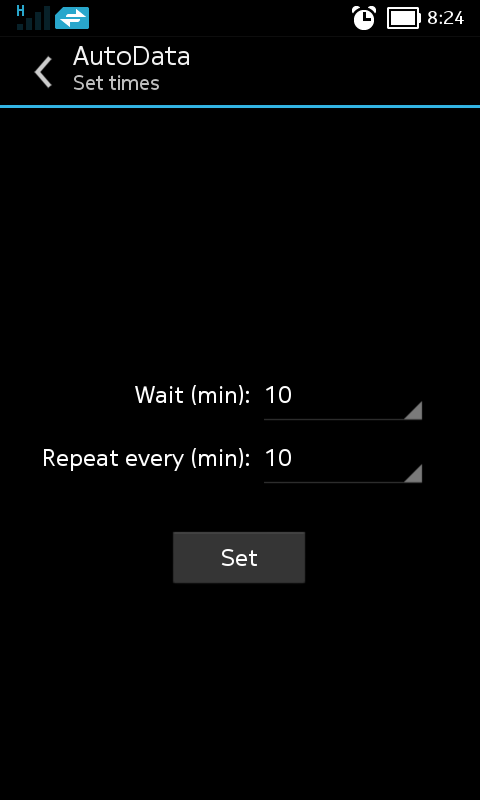
Settings ကိုႏွိ္ပ္ပါ။ Wait မွာ Screen ပိတ္ၿပီးေနာက္
အခ်ိန္ဘယ္ေလာက္ၾကာရင္ Mobile Data ကို ပိတ္မလဲ သတ္မွတ္ပါ။ Repete every မွာ
အျခား Apps မ်ားမွ Notification မ်ားရရွိဖို႔ Mobile Data ကို အခ်ိန္
ဘယ္ေလာက္ၾကာတိုင္း ျပန္ဖြင့္မလဲဆိုတာ သတ္မွတ္ပါ။ ၿပီးရင္ Set ကိုႏွိပ္ၿပီး
Close ကိုႏွိပ္ပါ။
AutoData ကို အသံုးမျပဳခ်င္ရင္ App ရဲ႕ Home Screen မွာ Off လုပ္ေပးပါ။
AutoData ဟာ Mobile Data ပိတ္ဖို႔ ေမ့တတ္သူမ်ားကို ကူညီေပးႏုိင္တဲ့ App
တစ္ခုျဖစ္ပါတယ္။ AutoData ကို Android 4.0 နဲ႔ သူ႔အထက္မွာ
အသံုးျပဳႏိုင္ပါတယ္။
WinRAR is a powerful archive manager. It can backup your data and reduce the size of email attachments, decompress RAR, ZIP and other files downloaded from Internet and create new archives in RAR and ZIP file format.
- Using WinRAR puts you ahead of the crowd when it comes to compression by consistently making smaller archives than the competition, saving disk space and transmission costs.
- WinRAR provides complete support for RAR and ZIP archives and is able to unpack CAB, ARJ, LZH, TAR, GZ, ACE, UUE, BZ2, JAR, ISO, 7Z, Z archives.
- WinRAR offers a graphic interactive interface utilizing mouse and menus as well as the command line interface.
- When you purchase WinRAR license you are buying a license to the complete technology, no need to purchase add-ons to create self-extracting files, it's all included. One price, one payment, once.
- You also receive the benefit of a life-time use of the WinRAR archiver. No upgrade fee to pay. When a new release is made, simply download and install, your license is valid for life.
- WinRAR is easier to use than many other archivers with the inclusion of a special "Wizard" mode which allows instant access to the basic archiving functions through a simple question and answer procedure. This avoids confusion in the early stages of use.
- WinRAR offers you the benefit of industry strength archive encryption using AES (Advanced Encryption Standard) with a key of 128 bits.
- WinRAR supports files and archives up to 8,589 billion gigabytes in size. The number of archived files is, for all practical purposes, unlimited.
- WinRAR offers the ability to create selfextracting and multivolume archives.
- Recovery record and recovery volumes allow to reconstruct even physically damaged archives.
- WinRAR features are constantly being developed to keep WinRAR ahead of the pack.
Forget about everything tiling on the flat like dead fish. Forget about
the icon showing like a piece of paper. Forget about the dock standing
in line like dumb wood. Forget the traditional launcher and embrace REAL
3D Launcher!
Next Launcher 3D is so proud to present the first REAL 3D Launcher in Google Play Store. Evolution is coming.
Extend imagination, extend capabilities!
Join millions of users for unique and splendid operation experience and visual enjoyment!
Features:
Extremely fancy 3D effect with buttery smooth experience
Real 3D Home Screen Transition Effects (Crystal, Cloth, Folding and more coming soon)
Stunning 3D screen preview with dazzling animation of screen switching
Build unique icon style by changing its size, angle, style and label (Icon Editor)
Combine all good parts from different themes into a single theme you really love (Theme Mix Mode)
Efficient and powerful batch apps management with gestures
Up to 8 different gestures available in home screen and app drawer
See how cool your phone could be by blowing all the icons and the widgets to air space (Floating Mode)
Enhanced shining border effects for home screen transition
Up to 7 rows on dock to shortcut all your favorites
Keep releasing 3D Next widgets, 3D themes and live wallpapers special designed by GO Launcher Dev Team