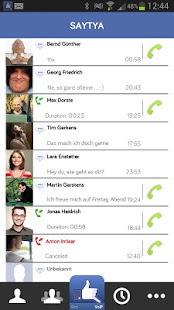
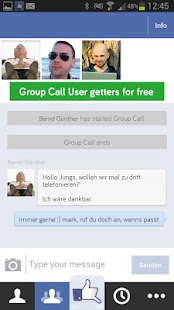
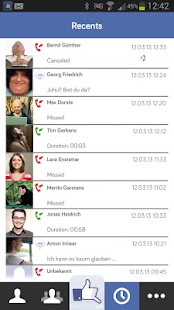
ဒီေဆာ့စ္၀ဲေလးနဲ႔မိတ္ဆက္ေပးပါရေစ။အမ်ားသိျပီးသားလည္းျဖစ္မွာ..မသိေသးသူအတြက္ပါ.
ဒီေဆာ့စ္၀ဲေလးက မိမိကြန္ျပဴတာမွာ (သို႔) ဖုန္းမွာထည့္သြင္းနိုင္ပါတယ္။ vzo တို႔ skype တို႔လို
ရုပ္ၾကည့္ျပီးေျပာလို႔ရတယ္..12ေယာက္တိတိတစ္ျပိဳင္တည္းေျပာဆိုနိုင္ပါတယ္..အရင္ဆံုး
ေဆာ့စ္၀ဲေလးကိုေဒါင္းျပီးရင္ အေကာင့္တစ္ခုလုပ္လိုက္ပါ အေကာင့္ရျပီဆိုရင္ ဒီေဆာ့စ္၀ဲ
ထည့္ထားသူအခ်င္းခ်င္း ေျပာနိုင္ပါျပီ ရုပ္ထြက္လည္းၾကည္ပါတယ္..ဖုန္းကေန ကြန္ျပဴတာကိုလည္း
ေျပာနိုင္ပါတယ္..ကြန္ျပဴတာမွတဆင့္ဖုန္းကိုလည္းလွမ္းေခၚနိုင္ပါသည္။ပိုက္ဆံတစ္ျပားမွမကုန္ပါဘူး။
အင္တာနက္ ကြန္နရွင္ ရွိဖို႔ေတာ့လိုအပ္ပါတယ္..အေကာင့္မရွိသူေတြအတြက္ get a new oovoo account ကိုႏွိပ္ျပီးအေကာင့္လုပ္နိုင္ပါတယ္..
25MB files ေတြကိုလည္း 20 files ေလာက္ပို႔လို႔ရပါတယ္။ မိမိရဲ႕ blog or website ေတြမွာလည္း
embed ooVoo နဲ႔ Video chat room လုပ္ထား လို႔ရပါတယ္။ မိမိသူငယ္ခ်င္းေတြဆီ
0ffline ျဖစ္ေနေပမဲ့လည္း free 1-minute video messages ပို႔လို႔ရပါတယ္။ မိမိ website or blog
ေတြမွာ ooVoo call me button ေလးထားျပီး မိမိနဲ႔တိုက္ရိုက္ ကြန္ျပဴတာကေနစကားေျပာႏိုင္ပါတယ္။
လုပ္ေဆာင္လို႔ရတာေတြေတာ့ ေျပာျပလိုက္ပါျပီ။ iPhone , Android , Windows , Mac အားလံုးအတြက္
တိုက္ရိုက္ေဒါင္းလင့္ကေနတင္ေပးလိုက္ပါတယ္။ 2mb ပဲရွိတဲ့အတြက္အဆင္ေျပပါတယ္။
ျမန္မာလိုလဲေကာင္းစြာေရးႏိုင္ဖတ္ႏိုင္ပါတယ္ခင္ဗ်ာ။ Send အေပၚက T ေလးကိုႏွိပ္ျပီး Zawgyi one
ေျပာင္းလိုက္ပါ။ ဒါဆိုရင္အားလံုးအိုေကသြားပါျပီ။ အင္စေတာလုပ္ျပီးအေကာင့္လုပ္ရင္ မိမိက
Facebook သူငယ္ခ်င္းေတြမ်ားတယ္ဆိုရင္ Facebook singup ကိုႏွိပ္ျပီး၀င္လိုက္ပါ။
ဒါဆိုရင္ Facebook က ooVoo သံုးတဲ့သူငယ္ခ်င္းေတြအကုန္လံုးအပ္ျပီးသားပါပဲ။ စမ္းၾကည့္ပါ။
သူငယ္ခ်င္း အပ္ခ်င္ရင္ +Add Friend ကိုႏွိပ္လိုက္ပါ။ မိမိသူငယ္ခ်င္းရဲ႕ ID နံပါတ္ကိုလည္းအပ္လို႔ရပါတယ္။
အားလံုးအဆင္ေျပသြားရင္ က်ြန္ေတာ္ဆီကို အစမ္းသေဘာမ်ိဳးနဲ႔ က်ြန္ေတာ္ ID ကိုအပ္ျပီး
5590428540
ေခၚလို႔ရပါတယ္။
Yangon thar
Chat when you talk using an internet connection, whether with an IRC
system, Video-conferencing programs, or others. This has become one of
the main uses of the internet, and it is almost essential to have a
username for one of the existing systems, and obviously the program to
use it.
ooVoo is a program that lets you connect to different instant messaging services.
ooVoo
has an interesting 3D interface that allows you to hold
video-conferences with up to 6 people, send files, send video messages,
and more.
It is really a program that stands out for the its
wide variety of variants than for the possibility of using the different
services.