Showing posts with label Torrent Downloader. Show all posts

8/19/2015

♪ ♪ ဖိုင္ဆိုဒ္အၾကီးၾကီးေတြကိုလြယ္ကူလွ်င္ျမန္စြာရွာေဖြေဒါင္းယူႏိုင္တဲ့ - µTorrent® Pro – Torrent App v3.8 Apk (17-Aug) ♫

Cover art

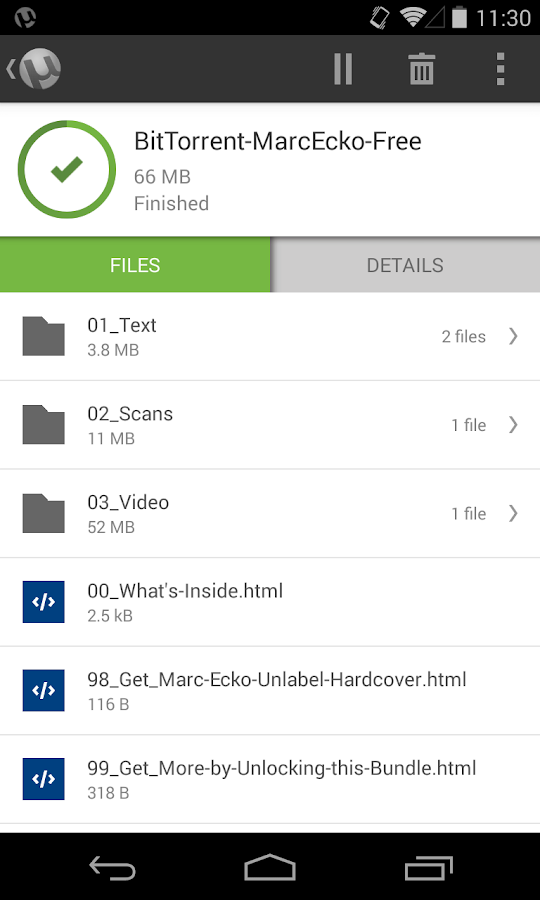
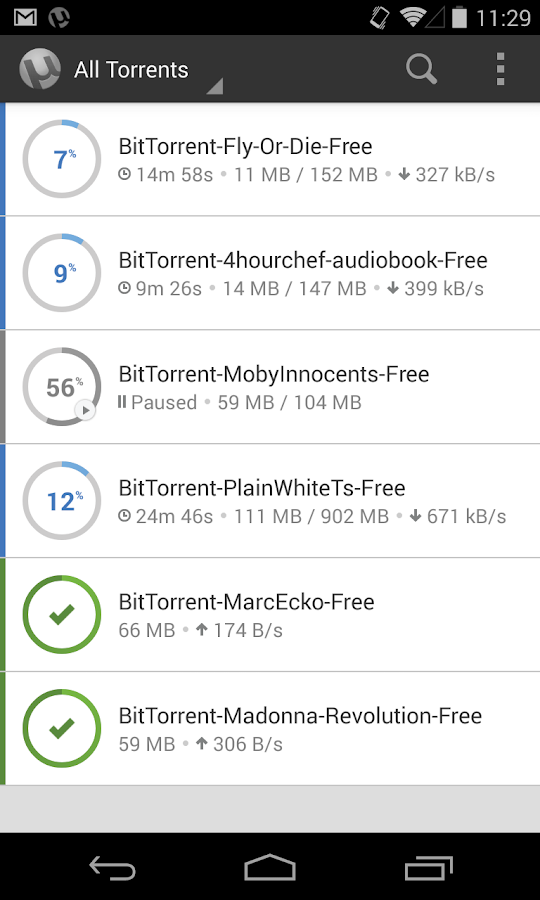
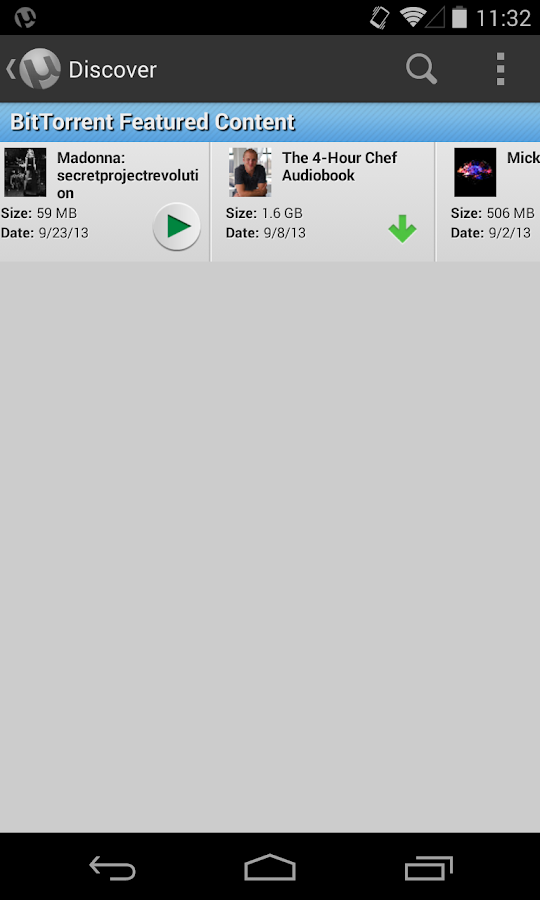
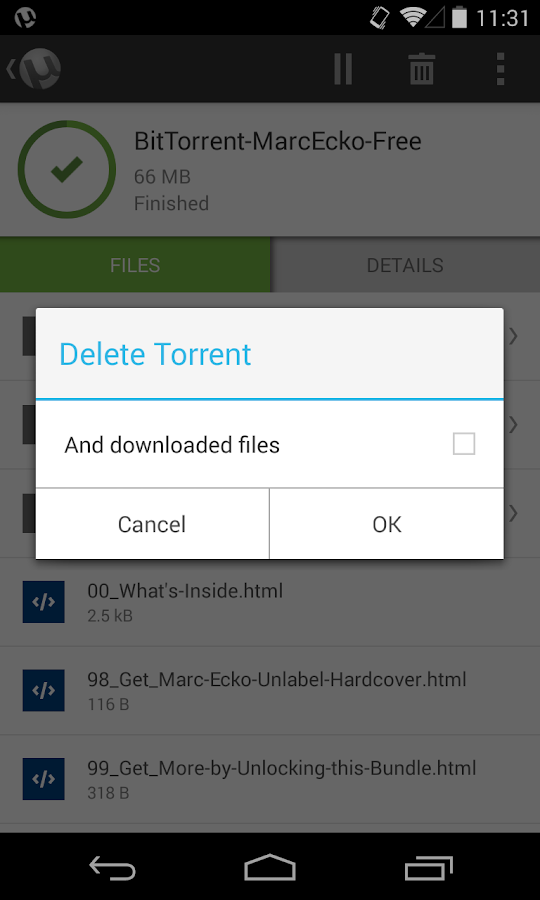
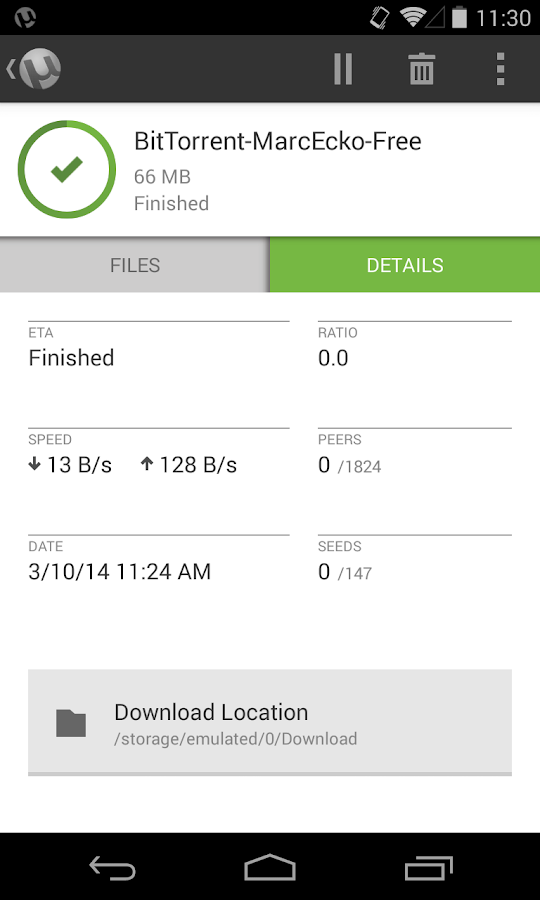
အခုတင္ေပးလိုက္တဲ့ Torrent Pro ဆိုတဲ့ Application ေလးကေတာ့ ဖိုင္ဆိုဒ္ၾကီးၾကီးေတြကို ေဒါင္းတဲ့ေန ရာမွာလြယ္ကူအဆင္ေျပေစမယ့္ Apk ေလးတစ္ခုျဖစ္ပါတယ္ဗ်ာ။ ဥပမာအေနနဲ႕ေျပာရရင္ေတာ့ PC မွာ Driver , Window OS ISO File ေတြ Phone မွာဆိုရင္ေတာ့ Firmware ေတြ Game အၾကီးၾကီးေတြကို Torrent မွာတင္ထားတက္ၾကပါတယ္။ အဲ့လိုတင္ထားတဲ့ File ေတြကို Torrent Dwonloader နဲ႕ေဒါင္းယူ မွလြယ္ကူအဆင္ေျပမွာပါ။ ေနာက္ျပီး အခု Torrent Apk ကိုအသံုးျပဳျပီးလည္း မိမိေဒါင္းယူခ်င္တာေတြကို Search Box မွာရွာေဖြေဒါင္းယူႏိုင္မွာျဖစ္ပါတယ္ဗ်ာ။ ဖိုင္ဆုိဒ္ၾကီးၾကီးေတြကိုလည္း Torrent မွာပဲအမ်ားဆံုး တင္ထားတက္ၾကပါတယ္။ ဒါေၾကာင့္အခု တင္ေပးထားတဲ့ Torrent Pro Apk ေလးကိုေဒါင္းယူထားေစခ်င္ ပါတယ္ဗ်ာ။ Torrent မွာတင္ထားတဲ့ File မ်ားကိုသာသီးသန္႕ ရွာေဖြေဒါင္းယူနိုင္မွာျဖစ္ပါတယ္ဗ်ာ။ Torrent ရဲ႕ေဒါင္းယူနိုင္တဲ့ ပံုစံေတြကိုေအာက္မွာ Screen Shot ေတြရိုက္ျပထားပါတယ္ဗ်ာ။ အေသးစိတ္ Feature ေတြကိုေတာ့ ေအာက္မွာဆက္လက္ေလ့လာနိုင္ပါတယ္ဗ်ာ။

Fast, light, and powerful: that’s the core of our technology. The uTorrent Android app reflects that. We developed uTorrent Android around your mobile torrenting needs with these standard features
✔ Beautifully light, clean design
✔ Wifi-only mode to save on mobile data
✔ No speed limits and no size limits
✔ Easy access to your media with integrated music and video libraries
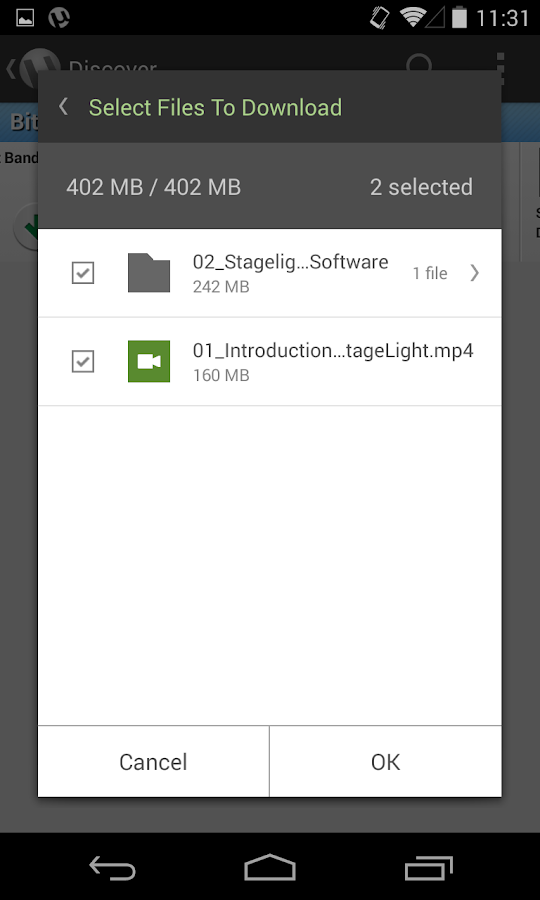
✔ Select files to download within a torrent to minimize your storage footprint
✔ Better listening and viewing experience with integrated music and video players
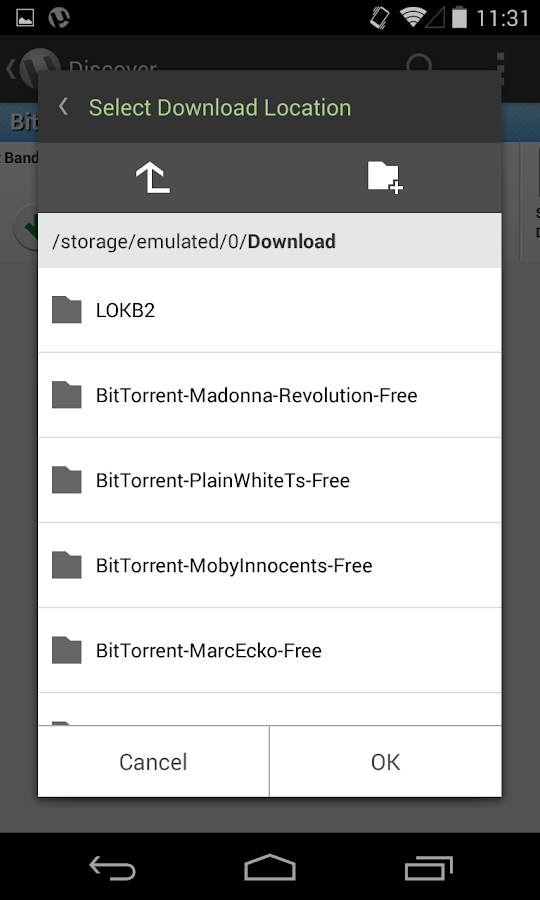
✔ Choose your file download location
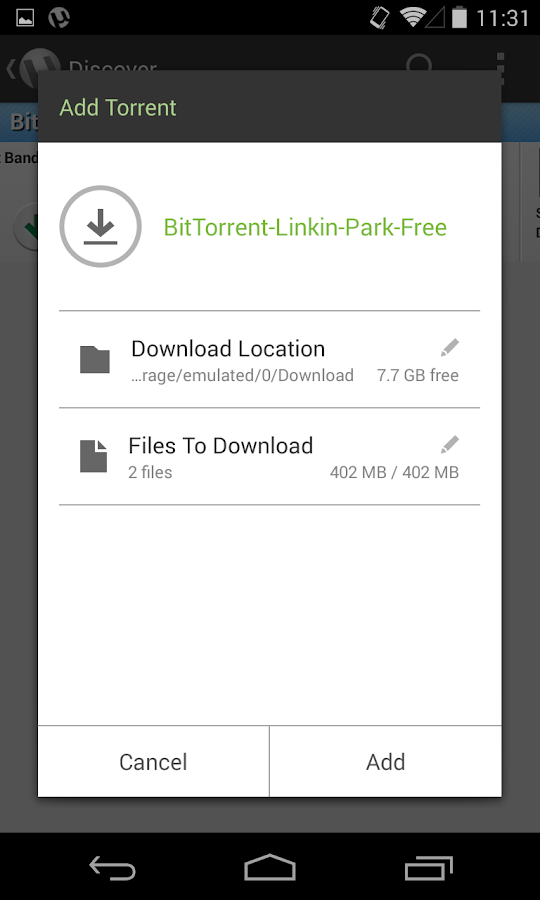
✔ Download torrents and magnet links
✔ Translations in Pусский, Español, Italiano, Português do Brasil
✔ Access licensed content from BitTorrent’s Bundle content partners
✔ Make your Android device so much more fun
<<< ေအာက္မွာ Click တစ္ခ်က္ေလာက္ႏွိပ္ေပးျခင္းအားျဖင့္ တစ္ဖက္တစ္လမ္းကကူညီရာေရာက္ပါတယ္။ >>>


   µTorrent® Pro - Torrent App- screenshot         µTorrent® Pro - Torrent App- screenshot

   µTorrent® Pro - Torrent App- screenshot         µTorrent® Pro - Torrent App- screenshot

   µTorrent® Pro - Torrent App- screenshot         µTorrent® Pro - Torrent App- screenshot

   µTorrent® Pro - Torrent App- screenshot         µTorrent® Pro - Torrent App- screenshot


**  Step-1.ေအာက္က Download Button ကိုႏွိပ္လိုက္ပါ

**  Step-2. "5sec". ေလာက္ေစာင္႕ေပးပါ။

**  Step-3. "  << SKIP AD >>   ".ကိုႏွိပ္ေပးပါ။

**  Step-4. Download Link က်လာပါလိမ္႕မယ္။

**  အဆင္ေျပပါေစဗ်ာ။

   Download

Read More ...

6/05/2013

uTorrent Stable 3.3 Build 29677

 
ႀကီးမားတဲ့ဖိုင္ေတြေတာ္ေတာ္မ်ားမ်ားကို uTorrent မွာတင္ထားေလ့ရွိၾကပါတယ္.. အဲဒါကို uTorrent Downloader နဲ႔ပဲ ေဒါင္းလို႔ရမွာျဖစ္ပါတယ္.. ခု uTorrent Stable  3.3 Build 29677 ထြက္လာလို႔ တင္ေပးလိုက္ပါတယ္.. သိၾကတဲ့အတိုင္း Stable ျဖစ္တာေၾကာင့္ Beta တုန္းက အားနည္းခ်က္ေတြကို ျပဳျပင္ဖာေထးၿပီးသားပါ.
uTorrent Stable (3.3 build 29677)  is an efficient and feature rich BitTorrent client for Windows sporting a very small footprint. It was designed to use as little cpu, memory and space as possible while offering all the functionality expected from advanced clients. uTorrent Stable (3.3 build 29677) Free Download,
Tiny
µTorrent is less than 800 KB (smaller than a digital photo!). It installs ultra-fast with a light footprint on your computer, and runs super-efficiently.
Easy
Simple and straightforward – that's µTorrent. With its purpose-built interface, downloading torrents is a snap.
Accessible
Access µTorrent from anywhere with µTorrent Remote. Easily access your home clients securely (using ultra-private authentication and key-exchange).
Innovative
Since µTorrent is offered by the team who invented the BitTorrent open source protocol, you know you will always have access to the latest and greatest technologies.
Fast
Expertly designed for fast downloads. Avoids hogging valuable system resources, runs quietly in the background, and doesn't interfere with your work, play etc.
Cutting Edge
Incorporating groundbreaking µTP technology, µTorrent maximizes bandwidth and reduces congestion - so you have the smoothest, quickest downloads possible and don't make your internet connection slow to a crawl.
Intelligent
µTorrent is instinctively smart. It auto-adjusts bandwidth usage based upon your network and the Internet. Use Skype, play games, stream video etc., all without interference.
Plug-n-Play
µTorrent is a snap to install on your home network. In most cases, it's plug-n-play. We also use UPnP and NAT-PMP technologies to prepare your router for torrent access.

အဆင္ေျပပါေစ..

ေမာင္ေပါက္


Download : 972 Kb

Read More ...

5/01/2013

µTorrent 3.2 Build 27886 Full


µTorrent ဗားရွင္းအသစ္ထြက္လာလို႔တင္ေပးလိုက္ပါတယ္... µTorrent မွာ တင္ထားတာေတြကို µTorrent နဲ႔ပဲေဒါင္းလို႔ရပါတယ္. ဖိုင္ဆိုဒ္ႀကီးႀကီးေတြကို µTorrent နဲ႕ပဲ တင္ထားၾကတာေတြ႕မိၾကပါလိမ့္မယ္.
Features:

• Multiple simultaneous downloads
• Smart bandwidth usage
• File level priorities
• Configurable bandwidth scheduling
• Global and per-torrent speed limiting
• Quickly resumes interrupted transfers
• UPnP support (WinXP only)
• Supports popular protocol extensions
• Trackerless support (Mainline DHT)
• Localized to different languages
• Typical memory use less than 6 MB
• Incredibly small: about 900 KB

µTorrent Patch:
'uTorrent Patch' can Increase Your speed.

~ Install Notes ~
Step 1: Install uTorrent.exe
အဆင့္၁. utorrent.exe ကို Install လုပ္ပါ.
Step 2: When Finish Installation, Close Program.
အဆင့္(၂) Install လုပ္ၿပီးသြားရင္ Program ကိုပိတ္ပါ..
Step 3: Exit uTorrent From Taskbar.
အဆင့္(၃) Taskbar ရဲ႕ညာဘက္မွာရွိတဲ့ uTorrent ကို Right Click ေထာက္ၿပီး exit ကိုႏွိပ္ပါ..
Step 4: Now Run "Patch.exe" Then Apply Patch.
အဆင့္(၄). Patch.exe ကို Run ၿပီး Apply Patch ကိုႏွိပ္ပါ...
Step 5: Done, Enjoy Increase Speed.
အဆင့္(၅).. ၿပီးဆံုးသြားၿပီျဖစ္ပါတယ္...

အဆင္ေျပပါေစ...


Download Links: 0.81 MB

Read More ...