Showing posts with label Data Recovery. Show all posts

10/12/2017

♪ မွားဖ်က္မိတဲ့ Data ေတြကိုျပန္ယူေပးမယ့္ - EaseUS Data Recovery Wizard Technician + Pro v11.8 + Portable + Keygen ♫

EaseUS Data Recovery Wizard Technician + Pro 11.8 + Portable + Keygen

တင္လိုက္ရတဲ႕ Data Recovery ေတြဗ်ာအမ်ားၾကီးတင္ထားတယ္ဆိုျပီေတာ႕လူေတြေတာင္ အျမင္ ကပ္ေတာ႕ မယ္ဗ်ာ။ ဒါေပမယ္႕လည္း Data ေတြမဆံုးရံႈးဖူးေသးတဲ႕ သူတစ္ေယာက္အတြက္ကေတာ႕ ဒီ Software က အပိုတစ္ခုလိုပါဘဲ။ ဆံုးရံႈးဘူးတဲ႕သူေတြ ျပန္ျပီး Recovery လုပ္လို႕ျပန္ရဖူးသူေတြကေတာ႕ ဒီ Recovery ရဲ႕တန္ဖိုးကို နားလည္မွာပါ။ ဒီေဆာ့စ္၀ဲေလးကေတာ့ format recovery, unformat, deleted files ႏွင့္ partition loss or damage တို႔အပါအ၀င္  software crash, virus infection, unexpected shutdown စသည့္တို႔မွအေၾကာင္းအ မ်ိဳဴးမ်ိဳဴးေၾကာင့္ပ်က္စီးေပ်ာက္ဆံုးသြားပါကျပန္လည္ ရွာေဖြေပးႏိုင္ေသာ EaseUS Data Recovery Wizard ေဆာ့စ္၀ဲပဲျဖစ္ပါတယ္။ Supported လုပ္ေပးႏိုင္တဲ့ file systems ေတြကေတာ့ FAT12, FAT16, VFAT, FAT32, NTFS/NTFS5, EXT2 and EXT3 တို႔ပဲျဖစ္ ပါတယ္။ floppy disks, USB flash drives, digital cameras, digital audio players စသည့္ external storage မွလည္း Support လုပ္ေပးပါတယ္။ Full Version အျဖစ္အသံုးျပဳနိုင္ေအာင္ Serial Key နဲ႕ Keygen ႏွစ္မ်ိဳးလံုးထည့္ေပးထားပါတယ္ဗ်ာ။ သူငယ္ခ်င္းမ်ားလိုအပ္မယ္ဆိုရင္ေတာ႕ ေအာက္က Link မွာ ေဒါင္း ယူႏိုင္ပါတယ္ဗ်ာ။ အားလံုးဘဲအဆင္ေျပၾကပါေစေနာ္။


EaseUS Data Recovery Wizard Technician + Pro 11.8 + Portable x64 + Keygen –Recover deleted data, it was not important this formatting, just deleting, corrupting the hard disk partition and so on, you can download the EaseUS Data Recovery Wizard below. The interface is simple, there is no Russian support, it works with all file systems, there are filters, convenient search, can work with media, there is a preview mode.
EASEUS Data Recovery Wizard Features:
• English & German language support.
• Support hard disk up to 8 TB.
• Windows 8.1 compatible – recover any data under Win 8.1.
• Brand-new user interface for more intuitive data recovery process.
• Faster scan lost files by skipping bad sectors automatically.
• Once you have purchased you do not have to download and search a second time.
• Recover deleted or lost files emptied from the Recycle Bin.
• File recovery after accidental format, even Windows re-installation.
• Disk recovery after a hard disk crash.
• Get back files after a partitioning error.
• Get data back from RAW hard drives.
• Specify file types before file recovery to find lost files quickly.
• Recover office document, photo, image, video, music, email, etc.
• Recover from hard drive, USB drive, memory card, memory stick, camera card, Zip, floppy disk or other storage media.
• Support FAT12, FAT16, FAT32, NTFS/NTFS5 file systems.

System Requirements:

  • OS: Windows 10/7/8/XP/Vista
  • CPU: at least with x86.
  • RAM: 128MB.
  • Disk space: 32MB.
Developer: CHENGDU YIWO Tech Development
License: ShareWare
Language: English
Size: 69 MB
OS: Windows
How to Install:
1). Instructions are included in ReadMe.txt if needed.
2). Thats all, Done & enjoy.



https://www.solidfiles.com/v/mdDAqznyjn3Bd


www.pyaephyo.com


Read More ...

6/13/2016

♪ မွားဖ်က္မိတဲ့ ဖိုင္မ်ားကို ျပန္ရွာနည္းမ်ား ♫


Shift + Deleteနဲ ့ဖ်က္မိလို ့ Recycle Binမွာလည္း ရွာလို ့မေတြ့ေတာ့တဲ့ ဖိုင္ေတြကို ျပန္ရွာဖို႔ နည္းအမ်ိဳးမ်ိဳး ရွိပါတယ္။ ဒီေဆာင္းပါးမွာ မွားဖ်က္မိတဲ့ဖိုင္၊ ေပ်ာက္ဆံုးေနတဲ့ ဖိုင္ေတြကို ေအာင္ျမင္စြာ ျပန္ရွာႏိုင္ဖို ့ နည္းလမ္းေတြကို ေရးေပးပါမယ္။

တကယ္ ဖ်က္မိလားဆိုတာ ေသခ်ာေအာင္ အရင္စစ္ပါ
သင္ရွာေနတဲ့ ဖိုင္မေတြ႔ေတာ့တာဟာ တကယ္ ဖ်က္မိတာလား၊ ေနရာထား မွားသြားတာလားဆိုတာ အရင္ စစ္ေဆးသင့္ပါတယ္။ Recycle Binထဲသြားၿပီး ဖိုင္ကို ျပန္ရွာပါ။ ဖိုင္ေတြမ်ားျပားေနရင္ Right Clickႏွိပ္ၿပီး Sort By>Date Deletedနဲ ့Filter လုပ္ၿပီးရွာရင္ ပိုလြယ္ကူၿပီး ျမန္ျမန္ ရွာေတြ႔ႏုိင္ပါတယ္။ေနရာထားမွားသြားတာကို ျပန္ရွာဖို ့ Windows Explorer ကေန သင္ဖိုင္ကို သိမ္းထားတဲ့ Drive ေအာက္ကိုသြားျပီး Search Box ကေန Drive တစ္ခုလံုးမွာျပန္ရွာပါ။

တကယ္လို ့သင့္ ဖိုင္ေတြကို Dropbox, Google Drive, or SkyDriveတို႔လို Cloud Storageမွာ သိမ္းတတ္တဲ့သူဆိုရင္ အဲဒီမွာျပန္ရွာပါ။ ရွာမေတြ ့ရင္ Trashထဲမွာ ရွာႏုိင္ပါေသးတယ္။ Trashကလည္း Cloud Storageရဲ ့ Recycle Binတစ္ခုပဲ ျဖစ္ပါတယ္။

Backup မွာရွာပါ။

စက္ပစၥည္းေတြဟာ ပ်က္ဆီးတတ္တာေၾကာင့္ သင့္ရဲ ့အေရးႀကီးေဒတာေတြကို မွန္မွန္ Backup လုပ္ဖို ့ အႀကံေပးပါတယ္။ သင္ဟာ Backupလုပ္ထားသူ တစ္ေယာက္္ဆိုရင္ေတာ့ Backupမွာ ျပန္ရွာပါ။
Windowsမွာ Backup Toolsေတြ ပါရွိၿပီး Windows 7မွာပါရွိတဲ့ Previous Version Toolက ဖိုင္ေတြကို ျပန္ရွာဖို ့လြယ္ကူပါတယ္။ မွားဖ်က္မိတဲ့ဖိုင္ရဲ႕ ဖိုဒါေပၚမွာ Right Clickႏွိပ္ၿပီး Propertiesကိုႏွိပ္ပါ။ Previous Versions Tabမွာ Backupေတြကို ေတြ ့ျမင္ႏုိင္ၿပီး Openကို ႏွိပ္ၿပီးရွာပါ။

Windows 8ရဲ ့ File History feature ကို အသံုးျပဳရင္လည္း ဖိုင္ေတြကို လြယ္လြယ္ကူကူ ျပန္ရွာႏိုင္ပါတယ္။ မွားဖ်က္မိတဲ့ဖိုင္ရဲ ့ဖိုဒါကို သြားၿပီး History buttonကိုႏွိပ္ၿပီး ျပန္ရွာပါ။ Hard Disk Drive Vs Solid State Drive
အေပၚကနည္းေတြ သံုးၿပီးသင့္ဖိုင္ေတြကို ရွာမေတြ႔ဘူးဆိုရင္ File Recovery Softwareေတြ သံုးၿပီး ရွာႏုိင္ပါတယ္။ ဒါေပမယ့္ သင့္ရဲ ့Drive အမ်ိဳးအစားေပၚမွာ မူတည္ပါတယ္။ အမ်ားဆံုးအသံုးျပဳတဲ့ Drive ေတြကေတာ့ Hard Disk Drive(HDD) or Magnetic Hard Driveေတြ ျဖစ္ၿပီး Solid State Drive ေတြကေတာ့ အသံုးျပဳမႈ နည္းပါတယ္။ သင့္ကြန္ပ်ဴတာရဲ ့ Hard Driveက ဘာအမ်ိဳးအစားလဲဆိုတာ Manufacturer Specificationမွာ ၾကည့္ပါ။

HDDမွာ ဖိုင္ေတြကို Pointersေတြနဲ ့ ညႊန္ျပပါတယ္။ Pointersေတြက အဲဒီဖိုင္ရဲ ့ေဒတာအစနဲ ့ အဆံုးေနရာေတြကို မွတ္သားညႊန္ျပတာပါ။ HDDမွာ ဖိုင္တစ္ခုကို ဖ်က္လို္က္ရင္ ၀င္းဒုိးက အဲဒီဖိုင္ရဲ ့ Pointer ကိုပဲ ဖ်က္လိုက္တာျဖစ္ၿပီး အဲဒီေနရာကို Free Spaceအေနနဲ ့ သတ္မွတ္လိုက္ပါတယ္။ ေဒတာေတြကိုေတာ့ မဖ်က္ပစ္ေသးပါဘူး။

အဲဒီအတြက္ ေဒတာေတြကို တစ္ျခား ေဒတာေတြ Overwriteမလုပ္ခင္ File Recovery Softwareေတြနဲ ့အျမန္ျပန္ရွာႏုိင္ပါတယ္။ အျမန္ျပန္မရွာဘဲ တစ္ျခားေဒတာေတြ Overwriteလုပ္သြားရင္ေတာ့ ျပန္ရွာလို ့မရတာေတြ၊ တစ္၀က္တစ္ပ်က္ပဲ ျပန္ရွာလို ့ရတာေတြ ျဖစ္တတ္ပါတယ္။
SSDမွာ ဖုိင္တစ္ခုကို ဖ်က္လိုက္ရင္ TRIM commandကို သံုးၿပီး အဲဒီေနရာကို အၿပီးဖ်က္လိုက္တာ ျဖစ္တဲ့အတြက္ Recovery Softwareေတြသံုးၿပီး ျပန္ရွာလည္း မရႏုိင္ေတာ့ပါဘူး။ Modern solid-state drives ေတြနဲ ့ Windows 7 and 8စတဲ့ OSေတြမွာ TRIMကို အသံုးျပဳၾကပါတယ္။ ေရွးက်တဲ့ SSDေတြနဲ ့ Windows XPမွာေတာ့ TRIMကို Supportမေပးပါဘူး။ အဲလို အေျခအေနမွာေတာ့ သင့္ဖိုင္ေတြကို Recovery Software ေတြနဲ ့ျပန္ရွာႏုိင္ပါတယ္။

အႏၱရာယ္အကင္းဆံုးနဲ ့ေအာင္ျမင္မႈ အရွိႏိုင္ဆံုးနည္း
သင္ဖိုင္ တစ္ခုကို မွားဖ်က္မိလိုက္တာ သိသိျခင္းပဲ ကြန္ပ်ဴတာကို ပိတ္ပါ။ မပိတ္ဘဲ File Recovery Software ေတြကို အင္စေတာ လုပ္မယ္ဆိုရင္ အေပၚမွာေျပာခဲ့သလိုပဲ Free Spaceအျဖစ္ သတ္မွတ္ထားတဲ့ သင့္ဖိုင္ေတြကို Overwrite လုပ္ၿပီးအၿပီးတိုင္ ပ်က္သြားႏုိင္ပါတယ္။ အင္စေတာလုပ္ၿပီးသား Softwareေတြ Backgroundမွာ Runေနတဲ့ Programsေတြကလည္း သင့္ဖိုင္ေတြကို Overwrite လုပ္ေကာင္း လုပ္သြားႏုိင္ပါတယ္။ အဲဒီအတြက္ သင့္ကြန္ပ်ဴတာကို ပိတ္ၿပီး Driveကိုစက္ကျဖဳတ္ၿပီး တစ္ျခားစက္တစ္လံုးမွာ Secondary Driveအေနနဲ ့ တပ္ဆင္ၿပီး Recovery Softwareတစ္ခုခုနဲ ့ရွာပါ။ ဒီနည္းက သင့္ဖိုင္ေတြကို ျပန္ရဖို ့အႏၱရာယ္အကင္းဆံုးနဲ ့ ေအာင္ျမင္မႈ အရွိႏုိင္ဆံုးနည္းပါ။

အျမန္ဆံုးနည္း ဒါေပမယ့္ စြန္႔စားရမယ့္နည္း
ဖ်က္မိတဲ့ဖိုင္က အေရးမႀကီးတဲ့ ဖုိင္ဆိုရင္ အျမန္ဆံုးျပန္ရွာဖို ့ File Recovery Softwareေတြကို သံုးႏုိ္င္ပါတယ္။ Freeware တစ္ခုျဖစ္တဲ့ Recuvaကို ေဒါင္းၿပီး အင္စေတာလုပ္ပါ။ Recuva နဲ ့ Driveကို Scanလုပ္ၿပီး ဖိုင္ကို ျပန္ရွာႏုိင္ပါတယ္။ ဒါေပမယ့္ ဒီနည္းကို သံုးရင္ သင့္ဖုိင္ေတြကို ျပန္ရဖို ့မေသခ်ာပါဘူး။ Recuva ကို အင္စေတာလုပ္တဲ့အခါ ဖ်က္လိုက္မိတဲ့ဖိုင္ရဲ ့ ေဒတာေတြအေပၚကို Overwrite လုပ္သြားႏုိင္ပါတယ္။ ေနာက္ၿပီး တစ္ျခား Runေနတဲ့ Programsေတြ၊ Backgroundမွာ Runေနတဲ့ Programsေတြကလည္း Overwrite လုပ္သြားႏုိ္င္ပါတယ္။

Professional Data Recovery Services
ဖ်က္မိတဲ့ဖိုင္ဟာ သင့္အတြက္ အလြန္အေရးႀကီးတဲ့ ဖိုင္ျဖစ္ၿပီး အေပၚကနည္းေတြနဲ ့ျပန္ရွာလို့မေတြ႔ရင္ စက္ကိုပိတ္ၿပီး Professional Data Recovery Servicesေတြဆီကို ပို ့လိုက္ပါ။ အဲဒီ Servicesေတြ Dying Hard Drive, Overwrite ျဖစ္သြားတာေတြကိုပါ ျပန္ရွာေပးႏုိင္တယ္လို ့ဆိုပါတယ္။ ဒါေပမယ့္ အာမေတာ့ မခံပါဘူး။ အဲဒီ Servicesေတြရဲ ့၀န္ေဆာင္ခဟာ ႀကီးျမင့္ၿပီး ႏုိင္ငံျခားမွာေတာ့ ရွိပါတယ္။

ဒီမွာေတာ့ မသိပါ။ သင့္ရဲ ့ အဖိုးတန္ ဖိုင္ေတြ မပ်က္ဆီးေစဖုိ ့
သင့္ရဲ႕အဖိုးတန္ ဖိုင္ေတြ မပ်က္ဆီးေစဖုိ ့ အၿမဲတမ္း Backupလုပ္ဖို ့အေရးႀကီးပါတယ္။ Windows Backup Toolsေတြကို သံုးႏုိင္သလို တစ္ျခား Softwareေတြကိုလည္း သံုးႏုိင္ပါတယ္။ Cloud Storageေတြမွာလည္း သင့္ဖုိင္ေတြကို သိ္မ္းၿပီး Backup လုပ္ႏုိင္ပါတယ္။

Ref : http://www.howtogeek.com/169344/how-to-recover-a-deleted-file-the-ultimate-guide/

http://ict.com.mm/how-to/the-way-to-turn-find-the-fault-file/

Myanmar ICT


<<< ေအာက္ကေၾကာ္ျငာကိုတစ္ခ်က္ေလာက္ႏွိပ္ခဲ့ေပးေစခ်င္ပါတယ္ဗ်ာ။ ကၽြန္ေတာ့္ကိုတစ္ဖက္တစ္လမ္းကကူညီရာေရာက္ပါတယ္ဗ်ာ။ >>>


www.pyaephyo.com
Read More ...

5/21/2016

Android Device မွ ေပ်ာက္ဆံုးသြားတဲ့ ေဒတာမ်ားကို ျပန္လည္ရွာေဖြနည္းမ်ား

1

ကြ်န္ေတာ္တုိ႔ အားလံုး Android Device မွ ဓါတ္ပံု၊ ဗီဒီယိုနဲ႔ အျခားဖိုင္မ်ားကို မွားယြင္းၿပီး ဖ်က္မိတတ္ၾကပါတယ္။ ဒါေပမယ့္ မွားဖ်က္မိတဲ့ ေဒတာမ်ားကို ျပန္လည္ရွာေဖြႏိုင္တဲ့ နည္းလမ္းမ်ားရွိပါတယ္။ Root လုပ္ထားတဲ့ ဖုန္းမ်ားမွာသာမက Root လုပ္ထားျခင္းမရွိတဲ့ ဖုန္းမ်ားအတြက္ပါ နည္းလမ္းမ်ားရွိပါတယ္။ ဒီလိုျပန္လည္ရွာေဖြဖို႔အတြက္ အခ်ိန္က အေရးႀကီးပါတယ္။ မွားဖ်က္မိမွန္း သိလွ်င္ သိခ်င္း ဖုန္းမွာ အျခားဖိုင္မ်ားကို ေဒါင္းလုပ္ျပဳလုပ္ျခင္း၊ သိမ္းဆည္းျခင္းမ်ားကို မျပဳလုပ္သင့္သလို WiFi နဲ႔ Mobile Data ကို ပိတ္ၿပီး ဖုန္းကို ပါ၀ါပိတ္သင့္ပါတယ္။ ဒါမွသာ သင့္ရဲ႕ ေပ်ာက္ဆံုးသြားတဲ့ ေဒတာမ်ားေနရာမွာ အျခားေဒတာမ်ား အစားထိုး၀င္ေရာက္ျခင္းမရွိေတာ့ဘဲ ျပန္လည္ရွာေဖြႏုိင္မွာ ျဖစ္ပါတယ္။

Root လုပ္ထားျခင္းမရွိတဲ့ ဖုန္းမ်ားအတြက္
သင့္ Android Device ဟာ Root လုပ္ထားျခင္းမရွိရင္ သင့္ရဲ႕ ဖုန္းကို ကြန္ျပဴတာနဲ႔ ခ်ိတ္ဆက္ၿပီး သင့္ရဲ႕ ၀င္းဒိုးကြန္ျပဴတာမွာ Recovery Program တစ္ခုကို အင္စေတာလုပ္ထားရမွာပါ။ ၀င္းဒိုးမွာ အသံုးျပဳႏုိင္ၿပီး Root လုပ္ထားျခင္းမရွိတဲ့ ဖုန္းမ်ားအတြက္ Recuva ကို အသံုးျပဳႏုိင္ပါတယ္။ Coolmuster နဲ႔ Wondershare Dr. Fone တို႔လို Windows Program မ်ားကိုလည္း အသံုးျပဳႏုိင္ပါတယ္။ Wondershare Dr. Fone ကို အသံုးျပဳရင္ေတာ့ သင့္ဖုန္းဟာ Root လုပ္ထားဖို႔ လိုအပ္ပါတယ္။

မွားဖ်က္မိတဲ့ ဖုိင္ဟာ SD Card မွာ သိမ္းထားတာဆိုရင္ ဒီနည္းလမ္းကို အသံုးျပဳပါ။ Recuva ကို Run ရင္ ပထမဆံုးအေနနဲ႔ Pictures, Videos, Music, Documents စတဲ့ သင္ ရွာခ်င္တဲ့ ဖိုင္အမ်ိဳးအစားကို ေရြးခ်ယ္ေပးရမွာ ျဖစ္ပါတယ္။ သီးျခားေနရာတစ္ကေန ရွာေဖြဖို႔လည္း သတ္မွတ္ႏုိင္ပါတယ္။ အဲဒီေနာက္မွာေတာ့ ရွာေဖြမႈကို ျပဳလုပ္ႏုိ္င္ပါၿပီ။

1

မွတ္ခ်က္။ ။ မွားဖ်က္မိတဲ့ဖိုင္မ်ားကို ရွာေတြ႕ရင္ External Hard Disk or Computer မ်ားမွာ သိမ္းဆည္းသင့္ပါတယ္။ မွားဖ်က္မိတဲ့ ဖုန္းမွာ သိမ္းရင္ အဆင္မေျပမႈေတြနဲ႔ ေႏွာင့္ေႏွးၾကန္႔ၾကာမႈေတြ ေတြ႔ရတတ္ပါတယ္။ အျခား Device တစ္ခုမွာ သိမ္းဆည္းၿပီး ေနာက္ပိုင္းမွသာ ဖုန္းသို႔ ျပန္လည္ ကူးယူပါ။

မွားဖ်က္မိတ့ဲ ဖိုင္ဟာ Internal Storage မွာ သိမ္းထားတာဆိုရင္လည္း နည္းလမ္းရွိပါတယ္။ Settings ထဲမွာ Developer Options ကို မေတြ႕ရေသးသူမ်ားက Settings>About Phone ထဲသြားၿပီး Build Number ကို ခုနစ္ခ်က္ႏွိပ္ပါ။ ၿပီးရင္ Settings>Developer Options ထဲသြားၿပီး USb Debugging ကို Enable လုပ္ပါ။ ဒါဆိုရင္ Wondershare Dr. Fone လို Program ကို အသံုးျပဳၿပီး ရွာေဖြႏုိင္ပါၿပီ။

Download Recuva (http://goo.gl/ME0DBM )
Download Wondershare Dr. Fone (http://goo.gl/5VDsor )

Root လုပ္ထားတဲ့ ဖုန္းမ်ားအတြက္
သင့္ Android Device ဟာ Root လုပ္ထားရင္ေတာ့ Undelete လို Android App ကို အသံုးျပဳႏိုင္ပါတယ္။ App ကို Run ရင္ ပထမဆံုးအေနနဲ႔ Internal or SD Card ကို ေရြးခ်ယ္ရမွာပါ။ ၿပီးရင္ Scan ျပဳလုပ္ႏုိင္ပါၿပီ။ သင့္ရဲ႕ Memory Size နဲ႔ သိမ္းဆည္းထားတဲ့ ေဒတာပမာဏအေပၚမူတည္ၿပီး ရွာေဖြခ်ိန္ဟာ ၁၀ မိနစ္ေလာက္ ၾကာႏုိင္ပါတယ္။ ၿပီးရင္ေတာ့ ျပန္လည္ရွာေတြ႕ထားတဲ့ဖိုင္မ်ားကို Files, Pictures, Music, Videos, Documents စတဲ့ Tab မ်ားျဖင့္ ခြဲျခားျပသေပးမွာ ျဖစ္ပါတယ္။ ဖိုင္မ်ားကို မူလေနရာသို႔ ျပန္လည္ သိ္မ္းဆည္းႏုိင္ပါတယ္။

2

Download Undelete ( https://goo.gl/lExRGq )

Credit to ==> Myanmar Digital Life Journal

<<< စိတ္၀င္စားတယ္ဆိုရင္ေအာက္ကေၾကာ္ျငာကို၀င္ေရာက္ေလ့လာနိုင္ပါတယ္ဗ်ာ။ >>>


Read More ...

4/06/2016

♪ Android Device မွ ေပ်ာက္ဆံုးသြားတဲ့ ေဒတာမ်ားကို ျပန္လည္ရွာေဖြနည္းမ်ား ♫

1

ကြ်န္ေတာ္တုိ႔ အားလံုး Android Device မွ ဓါတ္ပံု၊ ဗီဒီယိုနဲ႔ အျခားဖိုင္မ်ားကို မွားယြင္းၿပီး ဖ်က္မိတတ္ၾကပါတယ္။ ဒါေပမယ့္ မွားဖ်က္မိတဲ့ ေဒတာမ်ားကို ျပန္လည္ရွာေဖြႏိုင္တဲ့ နည္းလမ္းမ်ားရွိပါတယ္။ Root လုပ္ထားတဲ့ ဖုန္းမ်ားမွာသာမက Root လုပ္ထားျခင္းမရွိတဲ့ ဖုန္းမ်ားအတြက္ပါ နည္းလမ္းမ်ားရွိပါတယ္။ ဒီလိုျပန္လည္ရွာေဖြဖို႔အတြက္ အခ်ိန္က အေရးႀကီးပါတယ္။ မွားဖ်က္မိမွန္း သိလွ်င္ သိခ်င္း ဖုန္းမွာ အျခားဖိုင္မ်ားကို ေဒါင္းလုပ္ျပဳလုပ္ျခင္း၊ သိမ္းဆည္းျခင္းမ်ားကို မျပဳလုပ္သင့္သလို WiFi နဲ႔ Mobile Data ကို ပိတ္ၿပီး ဖုန္းကို ပါ၀ါပိတ္သင့္ပါတယ္။ ဒါမွသာ သင့္ရဲ႕ ေပ်ာက္ဆံုးသြားတဲ့ ေဒတာမ်ားေနရာမွာ အျခားေဒတာမ်ား အစားထိုး၀င္ေရာက္ျခင္းမရွိေတာ့ဘဲ ျပန္လည္ရွာေဖြႏုိင္မွာ ျဖစ္ပါတယ္။
Root လုပ္ထားျခင္းမရွိတဲ့ ဖုန္းမ်ားအတြက္
သင့္ Android Device ဟာ Root လုပ္ထားျခင္းမရွိရင္ သင့္ရဲ႕ ဖုန္းကို ကြန္ျပဴတာနဲ႔ ခ်ိတ္ဆက္ၿပီး သင့္ရဲ႕ ၀င္းဒိုးကြန္ျပဴတာမွာ Recovery Program တစ္ခုကို အင္စေတာလုပ္ထားရမွာပါ။ ၀င္းဒိုးမွာ အသံုးျပဳႏုိင္ၿပီး Root လုပ္ထားျခင္းမရွိတဲ့ ဖုန္းမ်ားအတြက္ Recuva ကို အသံုးျပဳႏုိင္ပါတယ္။ Coolmuster နဲ႔ Wondershare Dr. Fone တို႔လို Windows Program မ်ားကိုလည္း အသံုးျပဳႏုိင္ပါတယ္။ Wondershare Dr. Fone ကို အသံုးျပဳရင္ေတာ့ သင့္ဖုန္းဟာ Root လုပ္ထားဖို႔ လိုအပ္ပါတယ္။
မွားဖ်က္မိတဲ့ ဖုိင္ဟာ SD Card မွာ သိမ္းထားတာဆိုရင္ ဒီနည္းလမ္းကို အသံုးျပဳပါ။ Recuva ကို Run ရင္ ပထမဆံုးအေနနဲ႔ Pictures, Videos, Music, Documents စတဲ့ သင္ ရွာခ်င္တဲ့ ဖိုင္အမ်ိဳးအစားကို ေရြးခ်ယ္ေပးရမွာ ျဖစ္ပါတယ္။ သီးျခားေနရာတစ္ကေန ရွာေဖြဖို႔လည္း သတ္မွတ္ႏုိင္ပါတယ္။ အဲဒီေနာက္မွာေတာ့ ရွာေဖြမႈကို ျပဳလုပ္ႏုိ္င္ပါၿပီ။
1
မွတ္ခ်က္။ ။ မွားဖ်က္မိတဲ့ဖိုင္မ်ားကို ရွာေတြ႕ရင္ External Hard Disk or Computer မ်ားမွာ သိမ္းဆည္းသင့္ပါတယ္။ မွားဖ်က္မိတဲ့ ဖုန္းမွာ သိမ္းရင္ အဆင္မေျပမႈေတြနဲ႔ ေႏွာင့္ေႏွးၾကန္႔ၾကာမႈေတြ ေတြ႔ရတတ္ပါတယ္။ အျခား Device တစ္ခုမွာ သိမ္းဆည္းၿပီး ေနာက္ပိုင္းမွသာ ဖုန္းသို႔ ျပန္လည္ ကူးယူပါ။
မွားဖ်က္မိတ့ဲ ဖိုင္ဟာ Internal Storage မွာ သိမ္းထားတာဆိုရင္လည္း နည္းလမ္းရွိပါတယ္။ Settings ထဲမွာ Developer Options ကို မေတြ႕ရေသးသူမ်ားက Settings>About Phone ထဲသြားၿပီး Build Number ကို ခုနစ္ခ်က္ႏွိပ္ပါ။ ၿပီးရင္ Settings>Developer Options ထဲသြားၿပီး USb Debugging ကို Enable လုပ္ပါ။ ဒါဆိုရင္ Wondershare Dr. Fone လို Program ကို အသံုးျပဳၿပီး ရွာေဖြႏုိင္ပါၿပီ။
Download Recuva (http://goo.gl/ME0DBM )
Download Wondershare Dr. Fone (http://goo.gl/5VDsor )
Root လုပ္ထားတဲ့ ဖုန္းမ်ားအတြက္
သင့္ Android Device ဟာ Root လုပ္ထားရင္ေတာ့ Undelete လို Android App ကို အသံုးျပဳႏိုင္ပါတယ္။ App ကို Run ရင္ ပထမဆံုးအေနနဲ႔ Internal or SD Card ကို ေရြးခ်ယ္ရမွာပါ။ ၿပီးရင္ Scan ျပဳလုပ္ႏုိင္ပါၿပီ။ သင့္ရဲ႕ Memory Size နဲ႔ သိမ္းဆည္းထားတဲ့ ေဒတာပမာဏအေပၚမူတည္ၿပီး ရွာေဖြခ်ိန္ဟာ ၁၀ မိနစ္ေလာက္ ၾကာႏုိင္ပါတယ္။ ၿပီးရင္ေတာ့ ျပန္လည္ရွာေတြ႕ထားတဲ့ဖိုင္မ်ားကို Files, Pictures, Music, Videos, Documents စတဲ့ Tab မ်ားျဖင့္ ခြဲျခားျပသေပးမွာ ျဖစ္ပါတယ္။ ဖိုင္မ်ားကို မူလေနရာသို႔ ျပန္လည္ သိ္မ္းဆည္းႏုိင္ပါတယ္။
2

Download Undelete ( https://goo.gl/lExRGq )


Credit to ==> Myanmar Digital Life Journal

<<< ေအာက္မွာ Click တစ္ခ်က္ေလာက္ႏွိပ္ေပးျခင္းအားျဖင့္ တစ္ဖက္တစ္လမ္းကကူညီရာေရာက္ပါတယ္။ >>>


www.pyaephyo.com
Read More ...

3/30/2016

Wondershare Data Recovery 5 Full Version


Wondershare Data Recovery 5 ေနာက္ဆံုးထြက္ Update ေလးပါ..။ Data ေတြကို အေၾကာင္းအမ်ိဳးမ်ိဳးေၾကာင့္ ပ်က္စီး ဆံုးရႈံုးသြားျပီဆိုရင္ေတာ့ေနာက္ ဆံုးေမွ်ာ္လင့္ခ်က္က Recovery ပါဘဲ။ ကြန္ပ်ဴတာ မွာ မိမိ မွားျပီးေတာ့ဖ်က္လုိက္တဲ့ Files, Pictures, Music, Videos, Documents, အစရွိတဲ့ အထဲက Data ေတြကိုျပန္ယူေပးႏိုင္တယ္လို႕ဆိုထားပါတယ္ဗ်ာ။ FAT12, FAT16 and FAT32 file စတဲ႕ System ေတြအားလံုးမွာ အလုပ္လုပ္ပါတယ္။ ဖိုင္ဆိုဒ္ကေတာ့ 25.5 MB ရွိၿပီး Windows XP / Vista/ 7/ 8/ 8.1/ 10 (32-bit or 64-bit) အထိ အသံုးၿပဳနိုင္ပါတယ္။ Full Version သံုးရေအာင္ Crack ဖိုင္ထည့္ေပးထားပါတယ္။ အသံုးၿပဳလိုတဲ႕ သူမ်ား ေအာက္က Link ကေန Download လုပ္ယူသြားႏိုင္ပါတယ္။


http://www.solidfiles.com/v/eMapjkpvkdKZz
 
 
Pass: www.ayekyaw.org


<<< ေအာက္မွာ Click တစ္ခ်က္ေလာက္ႏွိပ္ေပးျခင္းအားျဖင့္ တစ္ဖက္တစ္လမ္းကကူညီရာေရာက္ပါတယ္။ >>>


**  Step-1.ေအာက္က Download Button ကိုႏွိပ္လိုက္ပါ

**  Step-2. "5sec". ေလာက္ေစာင္႕ေပးပါ။

**  Step-3. "  << SKIP AD >>   ".ကိုႏွိပ္ေပးပါ။

**  Step-4. Download Link က်လာပါလိမ္႕မယ္။

**  အဆင္ေျပပါေစဗ်ာ။

   Download

Read More ...

3/26/2016

Android Phone မွာ မွားဖ်က္မိတဲ့ ဓါတ္ပံုမ်ားကို ျပန္လည္ရယူနည္း


သင့္ရဲ႕ Android Phone , Tablet တို႔မွာ မေတာ္တဆ ဓါတ္ပံုေတြကို ဖ်က္မိသြားတဲ့ အျဖစ္အပ်က္မ်ိဳး ျဖစ္ဖူးၾကမွာပါ။ အဲဒီအတြက္ေတာ့ စိတ္ပ်က္စရာမလိုပါဘူး။ Android Device ေတြမွာ မွားဖ်က္မိတဲ့ ဓါတ္ပံုမ်ားကို ျပန္လည္ရွာေဖြႏုိင္တဲ့ နည္းလမ္းေတြ ရွိပါတယ္။ တစ္ခုအေရးႀကီးတာက မွားဖ်က္မိတာကို သိတာနဲ႔ အလွ်င္အျမန္ ျပန္ရွာဖို႔လိုပါတယ္။

ဓါတ္ပံု၊ သီခ်င္း နဲ႔ ဖိုင္မ်ားကို ဖ်က္မိတဲ့အခါမွာ ဖုန္းထဲကေန ခ်က္ခ်င္း ေပ်ာက္သြားတာမဟုတ္ပါဘူး။ ေဒတာအသစ္ေတြ ၀င္ေရာက္လာမွသာ အဲဒီမွားဖ်က္မိတဲ့ ဖိုင္ေတြကို အမွန္တကယ္ ဖ်က္ဆီးလိုက္တာ ျဖစ္ပါတယ္။ အဲဒီအတြက္ ေဒတာအသစ္ေတြ မ၀င္လာေအာင္ အရင္ဆံုး သင့္ဖုန္းမွာ WiFi နဲ႔ Mobile Data ကို ပိတ္ပါ။

မွတ္ခ်က္။ ။ အခုေဖာျ္ပမယ့္ နည္းလမ္းကို ျပဳလုပ္ဖို႔ သင့္ဖုန္းဟာ Root လုပ္ထားဖို႔ လို္ပါတယ္။

ေပ်ာက္ဆံုးသြားတဲ့ ဓါတ္ပံုမ်ားကို ျပန္ရွာနည္း
Android Device မွာ ဓါတ္ပံုမ်ားကို ျပန္လည္ ရွာေဖြႏို္င္တဲ့ Programs မ်ားစြာ ရွိေပမယ့္ Wondershare က ထုတ္တဲ့ Dr Fone for Android ရဲ႕ ရလဒ္ေတြက ေက်နပ္စရာျဖစ္ပါတယ္။ အဲဒီ Program ကို ေအာက္ပါ လင့္မွာ ရယူႏိုင္ပါတယ္။


Download


Dr Fone ကို ၀င္းဒိုး ပီစီမွာ အင္စေတာလုပ္ၿပီး ဖြင့္ပါ။


သင့္ရဲ႕ စမတ္ဖုန္းကို USB ႀကိဳးကေန တစ္ဆင့္ ကြန္ျပဴတာနဲ႔ ခ်ိတ္ဆက္ပါ။ ဖုန္းမွာ USB Debuggng ကို Enable လုပ္ေပးထားရပါမယ္။ မလုပ္ရေသးရင္ Settings> Developer Options ထဲသြားၿပီး USB Debugging ကို Enable လုပ္ပါ။ ( Developer Options ကို သင့္ဖုန္းရဲ႕ Settings ထဲမွာ မေတြ႔ရရင္ Settings> About Phone ထဲသြားၿပီး Build Number ကို ထပ္ခါ ထပ္ခါ ႏွိပ္ပါ။ Developer Options ကို Enable လုပ္ၿပီးေၾကာင္း Notification တက္လာမွာျဖစ္ပါတယ္။


Dr Fone က သင့္ဖုန္းနဲ႔ ခ်ိတ္ဆက္မိၿပီဆိုရင္ ရွာေဖြခ်င္တဲ့ ဖုိင္အမိ်ဳးအစားကို ေရြးခ်ယ္ရမွာပါ။ Gallery ကုိေရြးေပးပါ။


ေနာက္အဆင့္မွာေတာ့ Deleted Files or All Files ကိုေရြးခ်ယ္ရမွာပါ။ မွားဖ်က္မိတဲ့ ဓါတ္ပံုေတြကို ရွာေဖြဖို႔အတြက္ Deleted Files ကိုေရြးခ်ယ္ေပးပါ။ ဖုန္းမွာ Superuser Permission ေတာင္းခံရင္ Accept လုပ္ေပးပါ။

ၿပီးရင္ေတာ့ Dr Fone က သင့္ဖုန္းကို Scan လုပ္မွာပါ။ သင့္ရဲ႕ ဖုန္းမွာ Screen အခ်ိဳ႕ ေပၚထြက္လာၿပီး ဖုန္းဟာ Reboot ျဖစ္ခ်င္လည္း ျဖစ္သြားႏိုင္ပါတယ္။ ဒီအတုိင္းထားေပးပါ။ Dr Fone က သင့္ဖုန္းမွာ အလုပ္မ်ား လုပ္ေနတာ ျဖစ္ပါတယ္။


Dr Fone က သင့္ဖုန္းကို Scan လုပ္ၿပီးရင္ ဖ်က္ဆီးမိတဲ့ ဖိုင္မ်ားကို ျပေပးမွာပါ။ ျပန္လည္ရယူခ်င္တဲ့ ဖုိင္မ်ားကို Check Box မွာ ေရြးခ်ယ္ေပးၿပီး Recover ခလုတ္ကို ႏွိပ္ပါ။


Dr Fone ကို အသံုးျပဳၿပီး ဒီနည္းအတိုင္း ျပန္လည္ရယူႏုိင္ပါတယ္။ သတိျပဳစရာတစ္ခုက သင့္ဖုန္းမွ အေရးႀကီး ဖိုင္မ်ား၊ ေဒတာမ်ားကို ကြန္ျပဴတာ၊ Portable Memory Stick, Drive တို႔မွာ အျမဲတစ္ေစ Backup ျပဳလုပ္ထားသင့္ပါတယ္။


Credit - www.myanmardigitallife.com


<<< ေအာက္မွာ Click တစ္ခ်က္ေလာက္ႏွိပ္ေပးျခင္းအားျဖင့္ တစ္ဖက္တစ္လမ္းကကူညီရာေရာက္ပါတယ္။ >>>


**  Step-1.ေအာက္က Download Button ကိုႏွိပ္လိုက္ပါ

**  Step-2. "5sec". ေလာက္ေစာင္႕ေပးပါ။

**  Step-3. "  << SKIP AD >>   ".ကိုႏွိပ္ေပးပါ။

**  Step-4. Download Link က်လာပါလိမ္႕မယ္။

**  အဆင္ေျပပါေစဗ်ာ။

   Download

Read More ...

1/31/2016

Wondershare Data Recovery 5.0.2.6 Full Serial


Wondershare Data Recovery 5.0.2.6 ေနာက္ဆံုးထြက္ Update ေလးပါ..။ Data ေတြကို အေၾကာင္းအမ်ိဳးမ်ိဳးေၾကာင့္ ပ်က္စီး ဆံုးရႈံုးသြားျပီဆိုရင္ေတာ့ေနာက္ ဆံုးေမွ်ာ္လင့္ခ်က္က Recovery ပါဘဲ။ ကြန္ပ်ဴတာ မွာ မိမိ မွားျပီးေတာ့ဖ်က္လုိက္တဲ့ documents, text files, Image, Video, and Audio အစရွိတဲ့ အထဲက Data ေတြကိုျပန္ယူေပးႏိုင္တယ္လို႕ဆိုထားပါတယ္ဗ်ာ။ FAT12, FAT16 and FAT32 file စတဲ႕ System ေတြအားလံုးမွာ အလုပ္လုပ္ပါတယ္။ ဖိုင္ဆိုဒ္ကေတာ့ 26.3 MB ရွိၿပီး Windows XP / Vista/ 7/ 8/ 8.1/ 10 (32-bit or 64-bit) အထိ အသံုးၿပဳနိုင္ပါတယ္။ Full Versionသံုးရေအာင္ keygen ဖိုင္ထည့္ေပးထားပါတယ္။ အသံုးၿပဳလိုတဲ႕ မိတ္ေဆြမ်ား ေအာက္က ကိုယ္ၾကိဳက္တဲ့ Link ကေန Download လုပ္ယူသြားႏိုင္ပါတယ္။


Download & Links


  {GoogleDrive}{ZippyShare}{SolidFiles}


  www.ayekyaw.org


<<< ေအာက္မွာ Click တစ္ခ်က္ေလာက္ႏွိပ္ေပးျခင္းအားျဖင့္ တစ္ဖက္တစ္လမ္းကကူညီရာေရာက္ပါတယ္။ >>>


**  Step-1.ေအာက္က Download Button ကိုႏွိပ္လိုက္ပါ

**  Step-2. "5sec". ေလာက္ေစာင္႕ေပးပါ။

**  Step-3. "  << SKIP AD >>   ".ကိုႏွိပ္ေပးပါ။

**  Step-4. Download Link က်လာပါလိမ္႕မယ္။

**  အဆင္ေျပပါေစဗ်ာ။

   Download

Read More ...

1/23/2016

မိမိ SD CARD , Hard disk မ်ား Format ရုိက္မိသြားပါက Data မ်ား Recovery ျပန္ယူနုိင္မည့္ EaseUS Data Recovery Wizard 9.8.0


ဒီ Software ေလးက ေတာ္ေတာ္ အသုံး၀င္ပါတယ္။ SD CARD Hard Disk မ်ားကုိ Data Recovery မ်ားျပန္လည္ယူေပးနုိင္သည့္
ref:http://blog.regenerationmm.com/
အဆင္ေျပပါေစ..


<<< ေအာက္မွာ Click တစ္ခ်က္ေလာက္ႏွိပ္ေပးျခင္းအားျဖင့္ တစ္ဖက္တစ္လမ္းကကူညီရာေရာက္ပါတယ္။ >>>


**  Step-1.ေအာက္က Download Button ကိုႏွိပ္လိုက္ပါ

**  Step-2. "5sec". ေလာက္ေစာင္႕ေပးပါ။

**  Step-3. "  << SKIP AD >>   ".ကိုႏွိပ္ေပးပါ။

**  Step-4. Download Link က်လာပါလိမ္႕မယ္။

**  အဆင္ေျပပါေစဗ်ာ။

   Download

Read More ...

1/21/2016

Wondershare Data Recovery 5.0.0.5 final


Wondershare Data Recovery 5.0.0.5 ေနာက္ဆံုးထြက္ Update ေလးပါ..။ Data ေတြကို အေၾကာင္းအမ်ိဳးမ်ိဳးေၾကာင့္ ပ်က္စီး ဆံုးရႈံုးသြားျပီဆိုရင္ေတာ့ေနာက္ ဆံုးေမွ်ာ္လင့္ခ်က္က Recovery ပါဘဲ။ ကြန္ပ်ဴတာ မွာ မိမိ မွားျပီးေတာ့ဖ်က္လုိက္တဲ့ documents, text files, Image, Video, and Audio အစရွိတဲ့ အထဲက Data ေတြကိုျပန္ယူေပးႏိုင္တယ္လို႕ဆိုထားပါတယ္ဗ်ာ။ FAT12, FAT16 and FAT32 file စတဲ႕ System ေတြအားလံုးမွာ အလုပ္လုပ္ပါတယ္။ ဖိုင္ဆိုဒ္ကေတာ့ 11.26 MB ရွိၿပီး Windows XP / Vista/ 7/ 8/ 8.1/ 10 (32-bit or 64-bit) အထိ အသံုးၿပဳနိုင္ပါတယ္။ Full Versionသံုးရေအာင္ keygen ဖိုင္ထည့္ေပးထားပါတယ္။ အသံုးၿပဳလိုတဲ့ မိတ္ေဆြမ်ား ေအာက္မွာ ေဒါင္းလုဒ္ ရယူလိုက္ပါ။


Download & Links

{Googledrive} {Solidfiles}


  www.ayekyaw.org


<<< ေအာက္မွာ Click တစ္ခ်က္ေလာက္ႏွိပ္ေပးျခင္းအားျဖင့္ တစ္ဖက္တစ္လမ္းကကူညီရာေရာက္ပါတယ္။ >>>


**  Step-1.ေအာက္က Download Button ကိုႏွိပ္လိုက္ပါ

**  Step-2. "5sec". ေလာက္ေစာင္႕ေပးပါ။

**  Step-3. "  << SKIP AD >>   ".ကိုႏွိပ္ေပးပါ။

**  Step-4. Download Link က်လာပါလိမ္႕မယ္။

**  အဆင္ေျပပါေစဗ်ာ။

   Download

Read More ...

1/14/2016

Eassos Recovery 4 Full Version


Eassos Recovery 4 ေနာက္ဆံုးထြက္ Update ေလးပါ..။ ကြန္ပ်ဴ တာမွာ မိမိ မွားျပီးေတာ့ဖ်က္လုိက္တဲ့ Folder ေတြသုိ႔မဟုတ္ hard disk drive, USB flash disk, SD card, cell phones, MicroSD, cameras, ေတြကုိျပန္လည္ Data Recover ယူေပးတဲ့ Software တစ္ခုျဖစ္ပါတယ္။ ဖိုင္ဆိုဒ္ကေတာ့ 26.94 MB ရွိၿပီး Windows XP / Vista/ 7/ 8/ 8.1/ 10 (32-bit or 64-bit) အထိ အသံုးၿပဳနိုင္ပါတယ္။ Full Version သံုးရေအာင္ keygen ဖိုင္ထည့္ေပး ထားပါတယ္။  အသံုးၿပဳလိုတဲ႕ မိတ္ေဆြမ်ား ေအာက္က ကိုယ္ၾကိဳက္တဲ့ Link ကေန Download လုပ္ယူသြားႏိုင္ပါတယ္။

Eassos Recovery 4 Full Version – Eassos Recovery is a powerful yet easy-to use data recovery software which can recover lost files from any storage devices. It supports FAT12, FAT16, FAT32 and NTFS file system, support both MBR and GPT (GUID) partition table and can recover all files from all kinds of storage both internal as well as external drives, such as: hard disk drive, USB flash disk, SD card, cell phones, MicroSD, cameras, virtual disk files and more. Additionally, Eassos Recovery also allows you to work on various conditions, you can easily recover various files from formatted partitions, damaged partitions, and so on.

Eassos Recovery is a reliable solution and versatile data recovery tools for file recovery and partition recovery, it can handle all types of data loss problems, such as: recover deleted files, recover data from formatted partitions, recover data from lost, damaged and inaccessible partitions. In addition, it also offers a different mode of recovering data for all data loss scenarios, which allows you to more accurately and quickly get your data back. Built-in preview files, allowing you to view documents, images, audio and video files and check the quality before it is restored.
Key features:
  • Bult-in file preview
  • Recover deleted files
  • Lost partition recovery
  • Recover files by type
  • Support FAT12, FAT16, FAT32 and NTFS
  • Support vmdk, vhd and vdi
  • Supports IDE, SCSI, SATA, RAID
  • Vitual disk recovery
  • Whole disk file recovery
  • Whole partition recovery
  • Lost partitions Recovery
  • Intuitive interface, and more.
What’s new Eassos Recovery 4?:
  • New improvements
 
  Download & Links

{Google Drive} {Zippy Share} {Solid Files}


  www.ayekyaw.org


<<< ေအာက္မွာ Click တစ္ခ်က္ေလာက္ႏွိပ္ေပးျခင္းအားျဖင့္ တစ္ဖက္တစ္လမ္းကကူညီရာေရာက္ပါတယ္။ >>>


**  Step-1.ေအာက္က Download Button ကိုႏွိပ္လိုက္ပါ

**  Step-2. "5sec". ေလာက္ေစာင္႕ေပးပါ။

**  Step-3. "  << SKIP AD >>   ".ကိုႏွိပ္ေပးပါ။

**  Step-4. Download Link က်လာပါလိမ္႕မယ္။

**  အဆင္ေျပပါေစဗ်ာ။

   Download

Read More ...

1/05/2016

O&O DiskRecovery 11 Full Keygen


O&O DiskRecovery 11 ေနာက္ဆံုးထြက္ Update ေလးပါ..။ ကြန္ပ်ဴ တာမွာ မိမိ မွားျပီးေတာ့ဖ်က္လုိက္တဲ့ Folder ေတြသုိ႔မဟုတ္ media, such as hard drive disks, memory cards, digital camera cards, USB drives, flash card and other storage devices ေတြကုိျပန္လည္ Data Recover ယူေပးတဲ့ Software တစ္ခုျဖစ္ပါတယ္။ ဖိုင္ဆိုဒ္ကေတာ့ 22.1 MB ရွိပါတယ္ Windows XP / Vista/ 7/ 8/ 8.1/ 10 (32-bit or 64-bit) အထိ အသံုးၿပဳနိုင္ပါတယ္။ Full Version သံုးရေအာင္ keygen ဖိုင္ ထည့္ေပး ထားပါတယ္။ အသံုးၿပဳလိုတဲ႕ မိတ္ေဆြမ်ား ေအာက္မွာ ေဒါင္းလုဒ္ယူနိုင္ပါၿပီ။


Key features:
  • Advanced scanning methods to recover files
  • Can recover files with an unlimited number
  • Intuitive interface and easy-to-use
  • Supports a massive number of file formats
  • Supports all hard disks and removable drives
  • Preview files prior to restore, and more.

What’s new in O&O DiskRecovery 11?:
  • New data recovery algorithms
  • Other improvements.

Download & Links 


  www.ayekyaw.org


<<< ေအာက္မွာ Click တစ္ခ်က္ေလာက္ႏွိပ္ေပးျခင္းအားျဖင့္ တစ္ဖက္တစ္လမ္းကကူညီရာေရာက္ပါတယ္။ >>>


**  Step-1.ေအာက္က Download Button ကိုႏွိပ္လိုက္ပါ

**  Step-2. "5sec". ေလာက္ေစာင္႕ေပးပါ။

**  Step-3. "  << SKIP AD >>   ".ကိုႏွိပ္ေပးပါ။

**  Step-4. Download Link က်လာပါလိမ္႕မယ္။

**  အဆင္ေျပပါေစဗ်ာ။

   Download

Read More ...

1/04/2016

Photorecovery Professional 2016 5.1.3.3 Full Keygen


PHOTORECOVERY Professional 2016 ေနာက္ဆံုးထြက္ Update ေလးပါ..။ Data ေတြကို အေၾကာင္းအမ်ိဳးမ်ိဳးေၾကာင့္ ပ်က္စီး ဆံုးရႈံုးသြားျပီဆိုရင္ေတာ့ေနာက္ ဆံုးေမွ်ာ္လင့္ခ်က္က Recovery ပါဘဲ။ ကြန္ပ်ဴတာ မွာ မိမိ မွားျပီးေတာ့ဖ်က္လုိက္တဲ့ documents, text files, Image, Video, and Audio အစရွိတဲ့ အထဲက Data ေတြကိုျပန္ယူေပးႏိုင္တယ္လို႕ဆိုထားပါတယ္ဗ်ာ။ FAT12, FAT16 and FAT32 file စတဲ႕ System ေတြအားလံုးမွာ အလုပ္လုပ္ပါတယ္။ ဖိုင္ဆိုဒ္ကေတာ့ 11.26 MB ရွိၿပီး Windows XP / Vista/ 7/ 8/ 8.1/ 10 (32-bit or 64-bit) အထိ အသံုးၿပဳနိုင္ပါတယ္။ Full Versionသံုးရေအာင္ keygen ဖိုင္ထည့္ေပးထားပါတယ္။ အသံုးၿပဳလိုတဲ့ မိတ္ေဆြမ်ား ေအာက္မွာ ေဒါင္းလုဒ္ ရယူလိုက္ပါ။

Fitur :

Allows burning data to CD/DVD directly
Automatically saves the data to other location
Creates a backup image of your media
Intuitive interface and very easy-to-use
Non-destructive read-only data recovery
Recovers documents, text files and more
Recovers Image, Video, and Audio files
Supports FAT12, FAT16 and FAT32 file systems
Supports RAW files, HD Video, and many more.

Download & Links
 

{mediafire} {zippyshare} {solidfiles}


www.ayekyaw.org


<<< ေအာက္မွာ Click တစ္ခ်က္ေလာက္ႏွိပ္ေပးျခင္းအားျဖင့္ တစ္ဖက္တစ္လမ္းကကူညီရာေရာက္ပါတယ္။ >>>


**  Step-1.ေအာက္က Download Button ကိုႏွိပ္လိုက္ပါ

**  Step-2. "5sec". ေလာက္ေစာင္႕ေပးပါ။

**  Step-3. "  << SKIP AD >>   ".ကိုႏွိပ္ေပးပါ။

**  Step-4. Download Link က်လာပါလိမ္႕မယ္။

**  အဆင္ေျပပါေစဗ်ာ။

   Download

Read More ...

12/04/2015

♪ ဖုန္းထဲမွာ မွားဖ်က္မိတာေတြကိုျပန္ယူေပးမယ့္ - Undelete Master v1.7.4 Apk ♫

Cover art

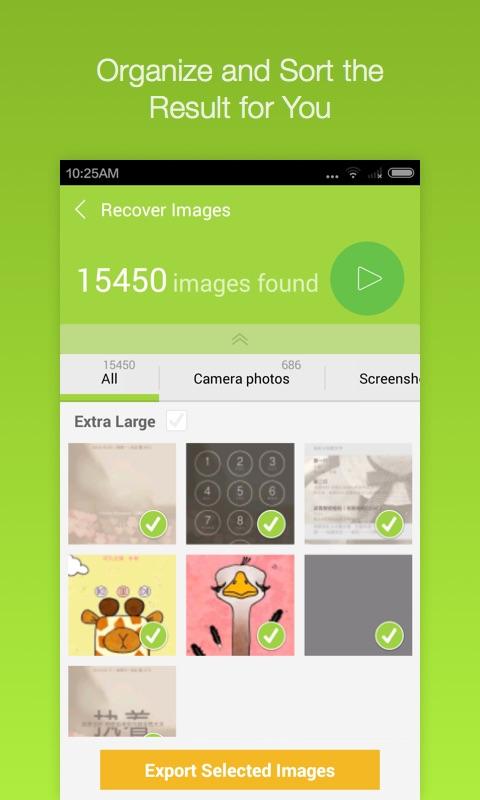
အခုတင္ေပးလိုက္တဲ့ Application ေလးကေတာ့ အသံုးတည့္ေစမယ့္အတြက္ေဆာင္ထားေစခ်င္ပါတယ္ ဗ်ာ။ ဖုန္းထဲမွာ မွားယြင္းျပီးဖ်က္မိတဲ့ Data ေတြရွိပါတယ္ ဓါတ္ပံုေတြ ဗီဒီယိုေတြ သီခ်င္းေတြ ဖိုင္ေတြ အစရွိ တာေတြကိုျပန္လည္ရယူလိုတယ္ဆိုရင္ေတာ့ အခုတင္ေပးလိုက္တဲ့ Undelete Master ကိုအသံုးျပဳျပီးျပန္ လည္ရယူနိုင္ပါတယ္ဗ်ာ။ ဒါ့ျပင္ အေရးၾကီးတဲ့ ဖုန္းနံပါတ္ေတြ Message ေတြကိုလည္းျပန္လည္ရယူေပးနိုင္ ပါတယ္။ မိမိဖုန္းနဲ႕ခ်ိတ္ဆက္အသံုးျပဳခဲ့ဖူးတဲ့ Wifi Password ေတြကိုပါျပန္ယူေပးနိုင္ပါတယ္ဗ်ာ။ လြယ္ကူ ရိုးရွင္းစြာအသံုးျပဳနိုင္တဲ့ Application ေလးတစ္ခုျဖစ္လို႕ေတြ႕ထားတုန္းေလးမွာေဒါင္းယူထားေစခ်င္ပါတယ္ ဗ်ာ။ Android OS 2.3 ႏွင့္အထက္ဖုန္းမ်ားမွာအသံုးျပဳနိုင္မွာျဖစ္ပါတယ္ဗ်ာ။

Deleted an important file accidentally? Lost something important when your phone crashed? No problem! Undelete Master can recover deleted photos, images, files, SMS, contacts and wifi passwords in your Android phone, completely eliminating the need to constantly backup your data.Features:
1. Supports mainstream volume formats, including FAT,EXT3,EXT4.
2. Can undelete images, photos, videos, audio, documents, SMS, contacts and more.
3. The recovered images, videos, audio and archives can be previewed.
4. Help you find what you want to recover easily

<<< ေအာက္မွာ Click တစ္ခ်က္ေလာက္ႏွိပ္ေပးျခင္းအားျဖင့္ တစ္ဖက္တစ္လမ္းကကူညီရာေရာက္ပါတယ္။ >>>


   Undelete Master- screenshot         Undelete Master- screenshot

   Undelete Master- screenshot         Undelete Master- screenshot

   Undelete Master- screenshot


**  Step-1.ေအာက္က Download Button ကိုႏွိပ္လိုက္ပါ

**  Step-2. "5sec". ေလာက္ေစာင္႕ေပးပါ။

**  Step-3. "  << SKIP AD >>   ".ကိုႏွိပ္ေပးပါ။

**  Step-4. Download Link က်လာပါလိမ္႕မယ္။

**  အဆင္ေျပပါေစဗ်ာ။

   Download

Read More ...

11/26/2015

ေပ်ာက္ဆံုး ရွံးဆံုး သြားတဲ႕ Data အားလံုး ကို အခ်ိန္အနည္းငယ္ ေပးရုံနဲ႕100% ၿပန္လည္ Recovery နိုင္တဲ႕ Software


EaseUS Data Recovery Wizard 9.8.0 Technician ေနာက္ဆံုးထြက္ Update ေလးပါ..။ ကြန္ပ်ဴ တာမွာ မိမိ မွားျပီးေတာ့ဖ်က္လုိက္တဲ့ Folder ေတြသုိ႔မဟုတ္ media, such as hard drive disks, memory cards, digital camera cards, USB drives, flash card and other storage devices ေတြကုိျပန္လည္ Data Recoverယူေပးတဲ့ နာမည္ၾကီးျပီး လူၾကိဳက္မ်ားတဲ့ Software တစ္ခုျဖစ္ပါတယ္ file size 17.36MB ႐ွိၿပီး Windows XP / Vista/ 7/ 8/ 8.1/ (32-bit or 64-bit) အထိ အသံုးၿပဳနိုင္ပါတယ္။ Full Version သံုးရေအာင္ Serial key ဖိုင္ ထည့္ေပး ထားပါတယ္။ အသံုးၿပဳလိုတဲ႕ မိတ္ေဆြမ်ား ေအာက္မွာ ေဒါင္းယူနိုင္ပါၿပီ။

https://de0982a6b0f499a6d59e7752f0c7bc6d639bb462.googledrive.com/host/0B8s5BOZ3nazoMktNVVRZYnA2cEE/www.ayekyaw.org.zip


https://s04.solidfilesusercontent.com/ZjZjYmE5Y2FkZmRhODYxYmJhYjhjMTJkMTQyY2NiZDUwNTJhOGNkMDoxYTFwa0M6UUd0eUZSTHk2WGh0UWVGbmpvY3lNSnBOaEZv/ffb3c5eb80/www.ayekyaw.org.zip

  
 www.ayekyaw.org


<<< ေအာက္မွာ Click တစ္ခ်က္ေလာက္ႏွိပ္ေပးျခင္းအားျဖင့္ တစ္ဖက္တစ္လမ္းကကူညီရာေရာက္ပါတယ္။ >>>


**  Step-1.ေအာက္က Download Button ကိုႏွိပ္လိုက္ပါ

**  Step-2. "5sec". ေလာက္ေစာင္႕ေပးပါ။

**  Step-3. "  << SKIP AD >>   ".ကိုႏွိပ္ေပးပါ။

**  Step-4. Download Link က်လာပါလိမ္႕မယ္။

**  အဆင္ေျပပါေစဗ်ာ။

   Download

Read More ...