Showing posts with label Antivirus. Show all posts

11/08/2017

♪ Malwarebytes Premium v3.3.1.2183 + Keygen ♫

https://i1.wp.com/crackwallet.com/wp-content/uploads/2017/09/Malwarebytes-Anti-Malware-2016.jpg?fit=320%2C320

မိမိရဲ႕ကြန္ျပဴတာကို Virus အျပင္အျခားေသာ အႏၱရယ္မ်ားရဲ႕ရန္မွာ ကင္းေ၀းေစရန္အတြက္ Malwarebytes Anti-Malware Premium ဆိုတဲ့ ေနာက္ဆံုးထြက္ Version ေလးတင္ေပးလိုက္ပါတယ္ဗ်ာ။ အခု Version ကေတာ့ v3.3.1.2183 ျဖစ္ပါတယ္။ ေနာက္ဆံုးထြက္ Version ေလးပါ။ ဒီေကာင္ေလးက Virus ေတြအျပင္ Trojan , Spyware , Malware , Worm , Adware , Keylogger စတာေတြအားလံုးကို Remove လုပ္ေပးႏိုင္ပါတယ္ဗ်ာ။ အျမဲတမ္းအသံုးျပဳႏိုင္ေအာင္ Full Version အျဖစ္ Keygen ကိုပါ ထည့္သြင္းေပးလိုက္ပါတယ္ဗ်ာ။ ကၽြန္ေတာ္ေျပာေနက် အတိုင္းပါဘဲ အင္တာ နက္ကို က်ယ္က်ယ္ျပန္႕ျပန္႕ အသံုးျပဳေတာ့မယ္ ေမႊေႏွာက္ေတာ့မယ္ဆိုရင္ေတာ့ သင့္ရဲ႕ကြန္ျပဴတာဟာ Antivirus တစ္ခုထဲနဲ႕ မလံုေလာက္ပါဘူး။ အခုတင္ေပးလိုက္တဲ့ Malwarebytes Anti-Malware ကေပါ့ေပါ့ပါးပါး ရွိတဲ့အတြက္ အျခားေသာ Antivirus ၾကီးမ်ားနဲ႕တြဲဖက္အသံုးျပဳႏိုင္ပါတယ္ဗ်ာ။


Features:
  • Protects you from advanced (zero-day) threats, including ransomware, so you can surf the Web without worry
  • Removes all traces of malware for complete safety
  • Removes potentially unwanted programs (PUPs) that make your computer run poorly
  • Scans fast so you do not have to sit around and wait for your security to finish working
  • Easy to use, just set it and forget it
  • Can replace antivirus or run alongside other antivirus programs
  • Malwarebytes Anti-Malware screenshotMalwarebytes advanced technology protects businesses from the constantly-evolving threat that malware poses to corporate systems.
  • From data loss to network corruption, undetected malware can decrease revenue and wreak havoc on your network. Malwarebytes provides maximum protection while using minimal resources, to keep your system focused on your business.
Whats New :
  • Performance/protective capability
  • Multiple enhancements result in reduction of memory usage
  • Faster load time and responsiveness of third-party applications
  • Improved performance of Web Protection
  • Faster Malwarebytes 3 program startup time and responsiveness of user interface
  • New detection and protection layer with machine learning based anomaly detection (to be deployed gradually even if it shows “enabled” under Settings)
  • Improved Self-Protection by requiring escalated privileges to disable protections or deactivate a license
  • Enhanced malware protection techniques and remediation capabilities
  • Added an automatic monthly scheduled scan in Free mode
Usability
  • Added ability to control the priority of manual scans on the system
  • Added setting to turn off ‘Real-Time Protection turned off’ notifications when protection was specifically disabled by the user
  • Added ability to exclude the last website blocked by Web Protection via the tray menu
  • Fixed several defects related to configuring Custom Scans, including selecting child folders and fixing issues with touch screens
  • Fixed problem where a right-click context scan appeared broken after scheduled scan due to misleading “Cannot start a scan while another one is in progress” message
  • Fixed issue where you could not add or edit a scheduled scan in Spanish and some other languages
  • Fixed issue where scan could appear stuck on Heuristics Analysis when it had actually completed successfully
  • Fixed issue where Self-Protection setting would fail to toggle correctly after an upgrade
Stability/issues fixed
  • Fixed several crashes in the Web Protection module
  • Fixed issue where Ransomware Protection would be stuck in ‘Starting’ state after a reboot
  • Fixed a conflict with Norton that caused web pages not to load and plug-ins to crash in Chrome
  • Fixed issue with WMI protection technique in Exploit Protection that could cause Office applications to crash
  • Fixed several crashes related to the service and tray
  • Fixed many other miscellaneous defects and user interface improvements
Screenshots:


https://douploads.com/sm4u2jjmrjz3


www.pyaephyo.com


Read More ...

11/01/2017

♪ မိမိကြန္ျပဴတာကို Virus မ်ားႏွင့္အျခားေသာ Attack လုပ္ျခင္းမွကာကြယ္နိုင္ရန္အတြက္ - MalwareFox Premium v2.74.206.150 + Key ♫

https://sos.azadicdn.com/wp-content/uploads/2017/10/box-right.png?6000

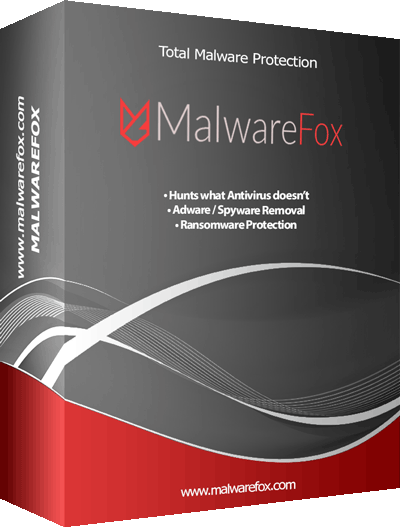
မိမိရဲ႕ကြန္ျပဴတာကို Virus အျပင္အျခားေသာ အႏၱရယ္မ်ားရဲ႕ရန္မွာ ကင္းေ၀းေစရန္အတြက္ MalwareFox Premium v2.74.206.150 ဆိုတဲ့ ေနာက္ဆံုးထြက္ Version ေလးတင္ေပးလိုက္ပါတယ္ဗ်ာ။ ဒီေကာင္ေလးက Virus ေတြအျပင္ Trojan , Spyware , Malware , Worm , Adware , Keylogger စတာေတြအားလံုးကို Remove လုပ္ေပးႏိုင္ပါတယ္ဗ်ာ။ အေၾကာင္းအမ်ိဳးမ်ိဳးေၾကာင့္ Error ျဖစ္သြားတဲ့ Rootkits ေတြကိုလည္း Repair လုပ္ေပးနိုင္ပါတယ္။ Browser ေတြကိုလည္း အျမဲတမ္း Clean လုပ္ေပးေနပါတယ္။ အျမဲတမ္း အသံုးျပဳႏိုင္ေအာင္ Full Version အျဖစ္ Serial Key ကိုပါ ထည့္သြင္းေပးလိုက္ပါတယ္ဗ်ာ။ ကၽြန္ေတာ္ ေျပာေနက် အတိုင္းပါဘဲ အင္တာ နက္ကို က်ယ္က်ယ္ျပန္႕ျပန္႕ အသံုးျပဳေတာ့မယ္ ေမႊေႏွာက္ေတာ့မယ္ ဆိုရင္ေတာ့ သင့္ရဲ႕ကြန္ျပဴတာဟာ Antivirus တစ္ခုထဲနဲ႕ မလံုေလာက္ပါဘူး။ အခုတင္ေပးလိုက္တဲ့ MalwareFox Premium ကေပါ့ေပါ့ပါးပါး ရွိတဲ့အတြက္ အျခားေသာ Antivirus ၾကီးမ်ားနဲ႕တြဲဖက္အသံုးျပဳႏိုင္ ပါတယ္ဗ်ာ။


MalwareFox Premium 2.74.206.150 + Key , It is strong against adware, ransomware, and zero-day exploits. MalwareFox provides real-time protection against different malware attacks.You can turn to this application if you need a quick, efficient way to detect if your system has been targeted by malicious attacks and whether or not they had succeeded to infect it.
Just as you launch the program you will notice that the main window displays a bunch of statistics, which include the status of your PC, when you performed the last scan and the real-time protection status. Running a scan can be simply done by pressing the “Scan” button.
All things considered, if you’re looking for a handy malware scanner that lets you quarantine detected items, you can opt for MalwareFox AntiMalware.
MalwareFox is advanced, yet simple-to-use anti-malware solution for Windows computers. It gets rid of adware, spyware, browser hijacker and other malware and keeps PC safe from Ransomware. It provide aggressive detection capabilities and effective malware removal tool to keep your systems safe and secure.
Considering the advent newer form of cyber crimes, Anti-Malware software have become necessity these days. This is because traditional Antivirus programs are incapable of catching every threat.
MalwareFox is advanced, yet simple-to-use anti-malware solution for Windows computers. It gets rid of adware, spyware, browser hijacker and other malware and keeps PC safe from Ransomware. It provide aggressive detection capabilities and effective malware removal tool to keep your systems safe and secure.
Considering the advent newer form of cyber crimes, Anti-Malware software have become necessity these days. This is because traditional Antivirus programs are incapable of catching every threat.
Features:
  • Malware Detection and Removal
  • Repair files damaged by Rootkits
  • Browser Cleanup
  • Ransomware Protection
  • Prevent Infection Real Time
  • Zero Day Attack Protection
  • 24×7 Support
Screenshots:


https://www.solidfiles.com/v/ZMxg6NaBA8vMz


www.pyaephyo.com


Read More ...

10/31/2017

♪ လိုင္စင္သက္တမ္း 21ႏွစ္ 2038ခုႏွစ္အထိသံုးလို႕ရမယ့္ - Avast Antivirus v7.0.1407 + 2038 License ♫

https://onhaxnet.com/wp-content/uploads/2017/01/Avast-Antivirus-full-version-free-download-2017.png

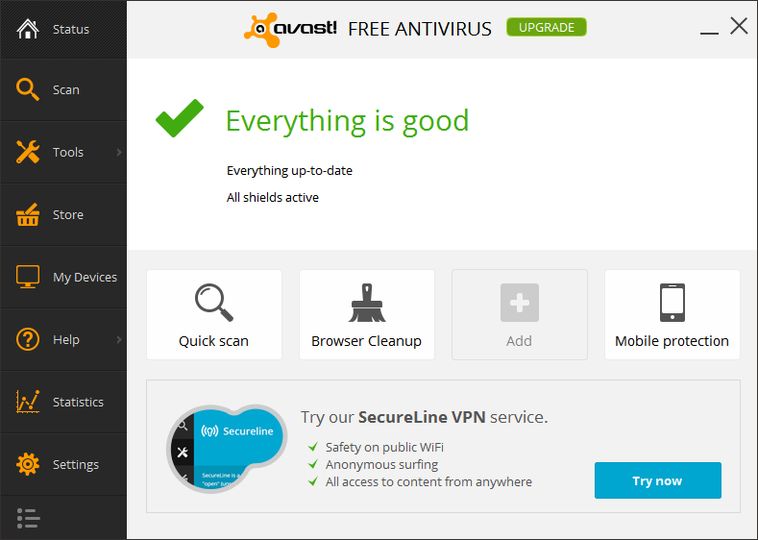
ကြန္ျပဴတာတစ္လံုးမွာေတာ့ Antivirus ေကာင္းေကာင္းတစ္ခုရွိဖို႕လိုအပ္ပါတယ္။ မရွိမျဖစ္ကို လိုအပ္တာပါ။ အခုတင္ေပးလိုက္တဲ့ Avast Antivirus ဆိုတာကလည္း နာမည္ၾကီး Antivirus တစ္မ်ိဳးပါပဲ။ လိုင္စင္ သက္တမ္းကလည္း 2038 ခုႏွစ္အထိအသံုးျပဳနိုင္မွာျဖစ္ပါတယ္ဗ်ာ။ ေအာက္ဆံုးက Link မွာေဒါင္းယူသြား ႏိုင္ပါတယ္ဗ်ာ။


https://cdn.afterdawn.fi/screenshots/normal/8986.jpg


https://www.solidfiles.com/v/WdQm7QD2w86Vp


www.pyaephyo.com


Read More ...

10/27/2017

♪ မိုဘိုင္းဖုန္းတစ္လံုးမွာရွိထားဖို႕ အသင့္ေတာ္ဆံုး Antivirus - AntiVirus PRO Android Security v6.7.1 Apk (24-Oct) ♫

Cover art

AVG Antivirus Pro  ဆိုတာကေတာ့ Mobile Antivirus ေတြထဲမွာ အေတာ္ေလးေပါ့ပါးျပီး အသံုးျပဳရတာ အဆင္ေျပလြယ္ကူတဲ့ Antivirus တစ္ခုျဖစ္ပါတယ္ဗ်ာ။ လူသံုးလည္းေတာ္ေတာ္ေလးမ်ားၾကပါတယ္။ အခု 24-Oct ရက္ေန႕မွာ အသစ္ထြက္လာတဲ့ Version အသစ္ေလးတင္ေပးလိုက္ပါတယ္ဗ်ာ။ ကၽြန္ေတာ္ေျပာေနက် အတိုင္းပါပဲ Antivirus ဆိုတာက PC မွာတင္မကဘဲ Phone မွာပါရွိထားသင့္ ပါတယ္။ Android Phone ေတြအတြက္ Antivirus ေတြ အမ်ားၾကီးရွိပါတယ္ အဲဒီအထဲကမွ အေပါ့ပါးဆံုး နဲ႕ Free Version ေပးထားတဲ႕ AVG Antivirus Pro ကိုေတာ့ ကၽြန္ေတာ္ အေတာ္ေလး သေဘာက်ပါ တယ္။ အခုလည္း Mobile AntiVirus Security PRO v6.7.1 ေနာက္ဆံုးထြက္ Version ေလးကို တင္ေပးလိုက္ပါတယ္ဗ်ာ။ Virus ေတြကို ရွင္းလင္းေပးႏိုင္တဲ႕အျပင္ အျခားေသာ Feature ေတြလည္း ပါ၀င္ပါေသး တယ္ ေပါ့ေပါ့ ပါးပါးျဖစ္ တဲ႕အျပင္ License အတြက္ ပူစရာမလိုတဲ႕အတြက္ ေဒါင္းယူထား ၾကေစခ်င္ပါတယ္ဗ်ာ။ Android OS 1.6 ႏွင့္ အထက္ဖုန္းမ်ားမွာအသံုးျပဳႏိုင္မွာျဖစ္ပါတယ္ဗ်ာ။


With AVG AntiVirus PRO Android Security you can:
★ Scan apps and games in real-time
★ Enable locating your lost phone via Google Maps™
★ Kill tasks that can slow down your phone
★ Monitor & Optimize battery, storage and data package usage
★ Hide your most-private photos in an encrypted Vault
★ Scan WiFi networks for encryption issues, weak passwords and other threats

In addition, when installing the premium app, you also get:
★ App Lock - password protection for sensitive apps
★ Camera Trap - discreetly emails you a photo of anyone trying to unlock your phone
★ Device Lock - locks your phone whenever the SIM card is replaced

App Features:
Protection:
★ Scan apps and games for malicious content
★ Scan websites for harmful threats and get redirected to “Safe Page” when a threat is detected (Android's default browser and Chrome and OS older than 6.0)
★ WiFi Scanner, Analyzer and Inspector for network encryption, password strength, Captive Portal (ones that make you 'sign-in' before you can use the WiFi) and ARP Poisoning (lets attackers re-direct you to a different URL)

Performance:
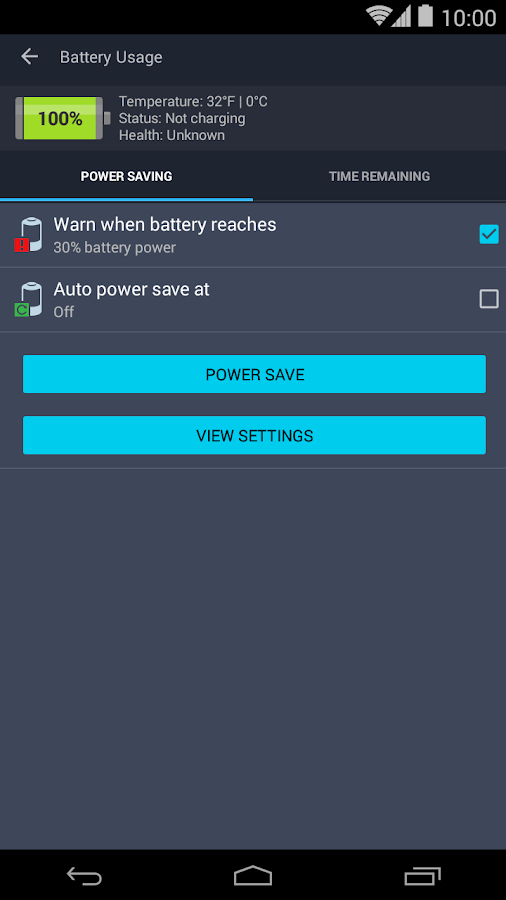
★ Monitor battery consumption to optimize and save power
★ Kill tasks and processes to help boost speed
★ Keep track of your mobile data plan usage
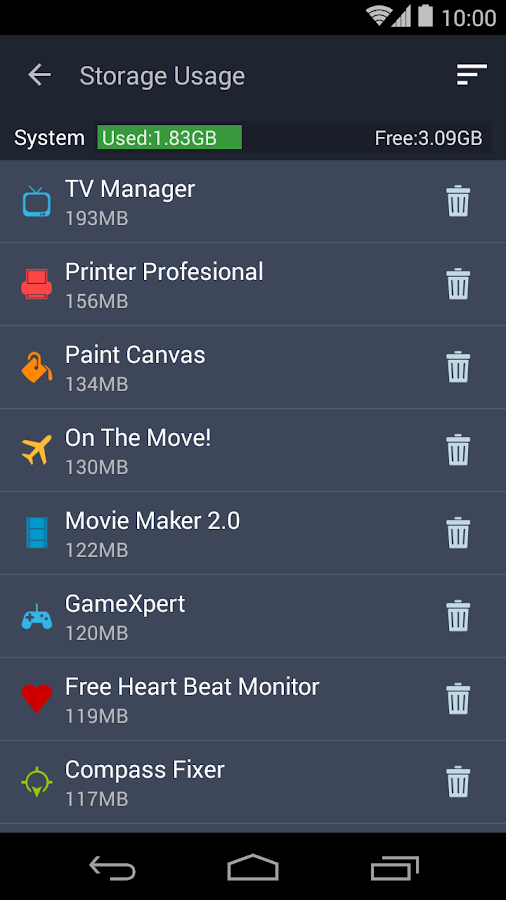
★ Optimize storage space (internal and SD card)

Anti-Theft:
Use AVG AntiVirus PRO Android Security together with AVG’s remote management console or text messages (SMS) to:
★ Locate your lost phone via Google Maps
★ Lock your phone and set a lock screen message to help the locator find you
★ Make your phone shout (ring) even if it is on silent mode
★ Wipe your phone and SD card content
★ Camera Trap: discreetly emails you a photo of anyone who enters 3 wrong passwords when trying to unlock your phone
★ Device Lock: automatically locks your phone whenever the SIM card is replaced

Privacy:
★ Hide private photos in a password-protected Vault to prevent others from snooping on your memories
★ App Lock: lock sensitive apps to protect your privacy and safety or lock your phone settings to secure its configuration
★ Call and Message Blocker: protect yourself against spammers, hackers and scammers. Get warned about suspicious text messages, filter and block unwanted calls and messages (SMS Blocker isn’t available for devices with Android v4.4 and newer)
★ Delete call history, clipboard content and browsing history (Chrome)
★ Wipe contacts, text messages, photos, browser history, calendar, format SD card and restore device to factory settings

AVG AntiVirus PRO Android Security is available in 33 languages.


   AntiVirus PRO Android Security- screenshot          AntiVirus PRO Android Security- screenshot

   AntiVirus PRO Android Security- screenshot          AntiVirus PRO Android Security- screenshot

   AntiVirus PRO Android Security- screenshot          AntiVirus PRO Android Security- screenshot

   AntiVirus PRO Android Security- screenshot          AntiVirus PRO Android Security- screenshot


https://www.solidfiles.com/v/p8e8jvB5D25mA


www.pyaephyo.com


Read More ...

10/25/2017

♪ Kaspersky Internet Security 2018 v18.0.0.405 + Lifetime License & Reset Trial ♫

Image result for Kaspersky Internet Security 2018 18.0.0.405 Final Full Activation Code

အခုတင္ေပးလိုက္တာကေတာ့ Kaspersky ကိုမွသေဘာက်ၿပီး အသံုးျပဳခ်င္သူမ်ားအတြက္ လိုင္စင္နဲ႕ ရက္ေပါင္း 90 တိတိကိုအသံုးျပဳရမွာျဖစ္ပါတယ္ဗ်ာ။ Antivirus ဆိုတာကေတာ့ PC သမား မ်ားႏွင့္ ဖုန္းသမားေတြပါ မရွိမျဖစ္လိုအပ္တဲ့ Antivirus တစ္ခုျဖစ္ပါတယ္။ ဒါေပမယ့္ Phone သမားေတာ္ေတာ္ မ်ားမ်ားကေတာ့ Antivirus ဆိုရင္ေရွာင္ၾကတာမ်ားပါတယ္။ Malware , Worm , Trojan , ExE , Spyware , Keylogger , Adware , Short Cut , အစရွိတဲ့ ၀င္ေလ့ ၀င္ထရွိတဲ့ Virus ေတြအျပင္ အျခားေသာ Virus ေပါင္းမ်ားစြာရန္မွ ကာကြယ္ေပးႏိုင္မွာျဖစ္ပါတယ္ဗ်ာ။ အဓိကအေနနဲ႕ေတာ့ Internet Security ျဖစ္တဲ့အတြက္ Network ပိုင္းကအစ တကယ့္ကို Protection လုပ္ နိုင္ပါတယ္ဗ်ာ။ Kaspersky ဆိုတာကလည္း နာမည္ၾကီးျပီးသား Antivirus ျဖစ္ေနေတာ့ သူ႕ရဲ႕လံုျခံဳစိတ္ခ်နိုင္မႈ ကာကြယ္ေပးနိုင္မႈေတြ ကေတာ့ ေျပာေန စရာေတာင္မလိုေတာ့ပါဘူးဗ်ာ။ Full Version အသံုးျပဳနိုင္ဖို႕အတြက္လည္း စိတ္မပူပါနဲ႕ Activate လုပ္ဖို႕အတြက္ ရက္ေပါင္း ၉၀ အသံုးျပဳနိုင္တဲ့ Key ေတြနဲ႕ Trial Reset ကိုပါထည့္ေပးထားပါ တယ္။ ရက္ေပါင္း၉၀ပဲသံုးရမယ္ဆိုလို႕ စိတ္ေတာ့ မညစ္သြားပါနဲ႕ အျမဲတမ္းသံုးရမွာပါ။ ရက္ေပါင္း ၉၀ ျပည့္သြားရင္ေတာ့ ေနာက္တစ္ၾကိမ္ Trial Reset ကိုသံုးျပီး Restart Activation ကိုႏွိပ္ ျပီးေတာ့ ေပးထားတဲ့ License Key ကိုထပ္သံုးလိုက္တာနဲ႕ ေနာက္ထပ္ ရက္ေပါင္း ၉၀ သံုးလို႕ရသြားမွာပါ။ အျမဲတမ္း ရက္ေပါင္း ၉၀ ျပည့္တိုင္း အထက္ပါနည္းလမ္းအတိုင္း လုပ္သြားလို႕ရပါတယ္။ ဒီေလာက္ဆို Lifetime License ျဖစ္ျပီေပါ့ဗ်ာ Installation လုပ္ပံုနဲ႕ License ထည့္ပံုအေသးစိတ္ကိုလည္း ေအာက္မွာ Video File နဲ႕ျပေပးထားပါတယ္ဗ်ာ။

သတိျပဳရန္ ။      ။
Kaspersky Internet Security ကို Install လုပ္ရင္ေတာ့ အင္တာနက္ကိုပိတ္ထား ရမွာပါဗ်ာ


License Key ကိုဒီမွာလည္း ရယူနိုင္ပါတယ္ဗ်ာ။

 4CH4C-PPFDT-NFK4B-45R69 [91 Days for KIS]
•  95XKY-9HS4E-R315U-HVJZB [91 Days for KIS+Android]
•  JHJ7C-C69PX-MQY3J-PKG5B [91 Days for KAV]
•  QTZJM-3EA1P-VNFSV-HPWFX [91 Days for KAV]
•  AKHW5-HRNA6-FKVD9-QYW8C [91 Days for KTS+Android]


Installation ျပဳလုပ္ပံုႏွင့္ License ထည့္သြင္းပံုကိုဒီမွာၾကည့္ပါ။


https://www.solidfiles.com/v/aq4dAW6vgq5Nz


www.pyaephyo.com


Read More ...

10/19/2017

♪ SUPERAntiSpyware Professional 6.0.1250 + Key ♫

https://www.cracks9.com/wp-content/uploads/2016/10/SUPERAntiSpyware-Pro-logo.jpg

ကြန္ျပဴတာတစ္လံုးကို လံုျခံဳစိတ္ခ်စြာ အသံုးျပဳႏိုင္ဖို႕အတြက္ SUPERAntiSpyware Professional ေလးကို တင္ေပးလိုက္ပါတယ္ဗ်ာ။ ကြန္ျပဴတာကို အင္တာနက္ခ်ိတ္ျပီး တြင္တြင္က်ယ္က်ယ္သံုးေတာ႕မယ္ဆို ရင္ေတာ႕ Antivirus တစ္မ်ိဳးတည္းနဲ႕ မလံုေလာက္ပါဘူး။ အခု Anti Spyware ေလးက Antivirus ေတြနဲ႕လည္း တြဲဖက္အသံုးျပဳႏိုင္ပါတယ္ဗ်ာ။အခု Sypware ကေတာ့ Spyware, Adware, Trojans, Dialers, Worms, KeyLoggers, HiJackers နဲ႕ အျခားေျမာက္ျမားစြာေသာ ကြန္ျပဴတာကို ျပသာနာရွာမယ့္ Virus ေတြအားလံုးကို ဖယ္ရွားရွင္းလင္းေပးႏိုင္ မွာျဖစ္ပါတယ္။ ကၽြန္ေတာ္ကိုယ္တိုင္စမ္းသံုးၾကည့္ျပီးပါျပီ။ ေအာက္မွာၾကည့္ပါ Trojan ေတြကို မိထားတာ Screen Shot ျပထားပါတယ္။ License အတြက္လည္း Serial Key ကိုထည့္သြင္းေပးလိုက္ပါတယ္ဗ်ာ။ အေသး စိတ္သိခ်င္တယ္ဆိုရင္ေတာ့ေအာက္မွာ ဆက္လက္ ေလ့လာႏိုင္ ပါတယ္ဗ်ာ။


SUPERAntiSpyware Professional 6.0.1250 + Key , SUPERAntiSpyware is the most thorough scanner on the market. Our Multi-Dimensional Scanning and Process Interrogation Technology will detect spyware that other products miss! SUPERAntiSpyware will remove ALL the Spyware, NOT just the easy ones! SUPERAntiSpyware features our unique Process Interrogation Technology (PIT) that allows threats to be detected no matter where they are hiding on your system. Many new types of threats utilize “Rootkits” or “Kernel Drivers” to hide themselves to avoid detection by standard anti-spyware applications. SUPERAntiSpyware’s Process Interrogation Technology locates even the toughest of threats. SUPERAntiSpyware is a next generation scanning system that goes beyond the typical rules based scanning methods. Our Multi-Dimensional Scanning system detects existing threats as well as threats of the future by analyzing threat characteristics in addition to code patterns.
SUPERAntiSpyware’s Process Interrogation Technology locates even the toughest of threats. SUPERAntiSpyware is a next generation scanning system that goes beyond the typical rules based scanning methods. Our Multi-Dimensional Scanning system detects existing threats as well as threats of the future by analyzing threat characteristics in addition to code patterns.


Features:
  • Quick, Complete and Custom Scanning of HDD, Registry, Memory and more
  • Detect and Remove Spyware, Adware, Malware, Trojans, Dialers, Worms, KeyLoggers and many other threats
  • Repair broken Internet Connections, Desktops, Registry Editing, Task Manager and more
  • Real-Time Blocking of threats
  • Schedule either Quick, Complete or Custom Scans Daily or Weekly
  • Quarantine items detected and removed for complete protection
  • Detailed scan logs with complete information about detected and removed threats and their locations
Screenshots:


https://www.solidfiles.com/v/qGdwanGX8evNd


www.pyaephyo.com


Read More ...

6/10/2017

♪ Smadav Pro 2017 v11.4.9 Final + 1Click Activator ♫


အေပါ့ပါးဆံုး Antivirus Program ေလးပါ..  ေနာက္ဆံုး Update Version ျဖစ္ပါတယ္... Smadav.exe ဖိုင္လ္ကို အရင္ Install လုပ္ပါ... ျပီးရင္ Smadav.reg ဖိုင္လ္ေလးကို Double Click ႏွင့္ Yes > OK ႏွိပ္ေပးျပီး Register လုပ္ေပးလိုက္ပါ။


Smadav Pro is antivirus for additional protection of your computer, USB stick total protection and thoroughly cleaning widespread virus.it stops apps from being running in background (Without your permisions). Just check this app as its one of the awesome apps.SmadAV Pro can perform an automatic update with an internet connection whenever there is a new revision. SmadAV will install new revisions automatically without user command. Unlike the Free SmadAV, you still have to do the update manually by downloading the new revision in Smadav.net and open the program first SmadAV to update SmadAV on your computer.Smad-Turbo can be activated to speed up the scanning process. SmadAV perform filtering by file type so SmadAV only scan the files were most likely infected with a virus. This feature is very effective in accelerating the process of scanning without compromising the ability of detection.


<<< ေအာက္ကေၾကာ္ျငာကိုတစ္ခ်က္ေလာက္ႏွိပ္ခဲ့ေပးေစခ်င္ပါတယ္ဗ်ာ။ ကၽြန္ေတာ့္ကိုတစ္ဖက္တစ္လမ္းကကူညီရာေရာက္ပါတယ္ဗ်ာ။ >>>


www.pyaephyo.com
Read More ...

1/25/2017

♪ " အေကာင္းဆံုး စြမ္းေဆာင္ခ်က္ေတြနဲ႔ Kaspersky Internet Security 2017 " ♫

No automatic alt text available.

ေဆာင္းပါးရွင္ - ဧဧသက္ (ၿဖိဳးဓနဒစ္ဂ်စ္တယ္ဓာတ္ပံု)

ကြန္ပ်ဴတာကုိ သံုးေနသေရြ႕ အင္တာနက္ႏွင့္ မကင္းႏိုင္သေရြ႕ Antivirus Software ေကာင္းေကာင္း တစ္ခုလိုသည္။ Antivirus သည္ မိမိ၏ ကြန္ပ်ဴတာအား အေဝးမွ အလစ္အငိုက္ဝင္မည့္ ေဖာက္ထြင္း လမ္းေၾကာင္း မ်ားအား ေစာင့္ၾကည့္မေပးႏုိင္။ ထုိ႔ျပင္ ကြန္ပ်ဴတာထဲ၌ malware မ်ား ဝင္ေရာက္ခိုေအာင္းေန ပါကလည္း ယင္းတို႔က အျပင္ဖက္ရွိ ဟက္ကာလမ္းေၾကာင္းတုိ႔အား ရွာေဖြခ်ိတ္ဆက္ျခင္းမ်ဳိး ရွိတတ္ေသး သည္။ ထုိ႔ေၾကာင့္ ကြန္ပ်ဴတာေဖာက္ထြင္းမခံရလိုပါက OS ကုိ စီးနင္းမခံရလိုပါက ကြန္ပ်ဴတာႏွင့္ အင္တာနက္အၾကား ခ်ိတ္ဆက္သည့္ အတြင္းအျပင္ဆက္ေၾကာင္းမ်ားကို ေစာင့္ၾကည့္ပိတ္ဆုိ႔ႏုိင္ဖုိ႔လည္း လုိသည္။ 


Antivirus အလုပ္ကုိ လုပ္ေပးႏုိင္သည္သာမက တရားမဝင္ခ်ိတ္ဆက္ေန ေသာ အတြင္းအျပင္ဆက္ေၾကာင္းမ်ားကို ေစာင့္ၾကည့္အသိေပးႏုိင္သည့္ Firewall လုပ္ငန္းစဥ္ပါလုပ္ေပးႏုိင္ေသာ Internet Security Software တို႔သည္ ကြန္ပ်ဴတာလံုၿခံဳေရးအတြက္ ပုိ၍ေကာင္းမြန္သည္။ ႏွစ္စဥ္ Internet Security Software ေပါင္း တစ္ဒါဇင္ထက္မနည္းထြက္သည္။ ထြက္သမွ်ေသာ Software တိုင္းသည္ ကြန္ပ်ဴတာလံုၿခံဳေရးကို အျပည့္အဝ တာဝန္မယူႏိုင္ပါ။ အျပည့္အဝနီးပါး တာဝန္ယူႏိုင္ေသာ Software ေလးမ်ဳိးေလာက္သာရွိသည္။ ယင္းေလးမ်ဳိးထဲတြင္ Kaspersky Internet Security Software ပါဝင္ပါသည္။


၂ဝ၁၆ ခုႏွစ္တြင္ ထုတ္ေဝခဲ့ေသာ Kaspersky 2016 Suite သည္ Security Suite Labs မ်ားျဖင့္ စမ္းသပ္စစ္ေဆးခ်က္အရ အေကာင္းဆံုးအဆင့္ကုိ ရရွိခဲ့ပါသည္။ အမွားအယြင္းကင္းေသာ စြမ္းေဆာင္ရည္ႏွင့္ Virus signature ေပၚမမွီခိုေသာ စမ္းသပ္စစ္ေဆးခ်က္မ်ားကို ေကာင္းစြာ ေက်ာ္ျဖတ္ နိုင္ျခင္းတုိ႔က Kaspersky အား အေကာင္းဆံုးအဆင့္သုိ႔ ပုိ႔ေဆာင္ေပးခဲ့ျခင္းျဖစ္ပါသည္။ ၂ဝ၁၆ Kaspersky internet security က ေကာင္းသလုိ ၂ဝ၁၇ internet security ကလည္း ေကာင္းျခင္းအဂၤါမ်ားစြာကို သယ္ေဆာင္လာခဲ့ပါသည္။ မၾကာေသးခင္က AV-Test-org က စမ္းသပ္ခဲ့ေသာ malware စမ္းသပ္ခ်က္မ်ဳိးစံုတြင္ Kaspersky internet security 2017 သည္ ၿပီးျပည့္စံုေအာင္စြမ္းေဆာင္ႏိုင္သည့္အတြက္ ရမွတ္ ၁ဝဝ အျပည့္ ရရိွခဲ့ပါသည္။


အလြန္နာမည္ႀကီးေသာ malware မ်ားကို ဆန္႔က်င္ပိတ္ဆုိ႔ႏုိင္သည္သာမက Virus signature ႏွစ္လစာလြတ္ေနသည့္ၾကားမွ မျမင္ဘူးေသးသည့္ malware မ်ားကို ေအာင္ျမင္စြာပိတ္ဆုိ႔ႏုိင္ခဲ့ပါသည္။ ယင္းစမ္းသပ္ခ်က္ မ်ားကုိ ေက်ာ္ျဖတ္ရာတြင္ မွားယြင္းဆံုးျဖတ္မႈကင္းရွင္းစြာျဖင့္ ေက်ာ္ျဖတ္ႏုိင္ခဲ့ျခင္းျဖစ္ပါသည္။ Kaspersky ၏ အျခားေသာ အားသာခ်က္မွာ resource စားသံုးမႈနည္းျခင္းေၾကာင့္ System performance အေပၚ ထိခိုက္မႈအလြန္နည္းပါးျခင္းျဖစ္သည္။ သုိ႔ရာတြင္ website ႏွင့္ application မ်ားအား scan လုပ္ရာ၌မူ ထုိက္သင့္အားေလ်ာ္ေသာ ဝန္ထုပ္ဝန္ပိုးရွိပါသည္။ 


Windows 7 ေပၚတြင္စမ္းသပ္သည့္အခါ web-page loading time တြင္ ၇% ေႏွးေကြးသြားၿပီး application မ်ားအား scan လုပ္ရာတြင္ ကြန္ပ်ဴတာ စြမ္းေဆာင္ရည္ ၅% က်ဆင္းေၾကာင္း ေတြ႕ရပါသည္။ ဤမွ်ေလာက္ ထိခိုက္ျခင္းသည္ Windows ထဲတြင္ Microsoft က တစ္ပါတည္း ထည့္သြင္းေပးလိုက္ေသာ Microsoft Security Essential (MSE) ေၾကာင့္ ထိခုိက္သည္ထက္စာလွ်င္ မ်ားစြာသက္သာေနပါေသးသည္။ MSE သည္ ကြန္ပ်ဴတာအေပၚ ဝန္ထုပ္ဝန္ပိုးနည္းပါးေသာ antimalware app ျဖစ္သည္ဟု ပညာရွင္မ်ားက ယူဆထားၾကပါသည္။ MSE ေၾကာင့္ Web-page loading တြင္ ၁၂% ေႏွးေကြးမႈရွိၿပီး app scanning တြင္ ကြန္ပ်ဴတာ၏စြမ္းေဆာင္ရည္က်ဆင္းမႈ ၈% ရွိပါသည္။
Kaspersky သည္ သံုးစြဲသူႏွင့္လြန္စြာရင္းႏွီးလြယ္ေသာ user interface ရွိသည္။ သုိ႔ေသာ္ အထဲတြင္ပါဝင္ေသာ စြမ္းေဆာင္ရည္အသစ္တုိ႔ကို ေတြ႕ျမင္ရန္အတြက္ အေတာ္ေလးႀကိဳးစားရပါလိမ့္မည္။ အျပင္ပန္း အသြင္အျပင္အားျဖင့္ၾကည့္လွ်င္ ၂ဝ၁၆ Kaspersky ႏွင့္ ၂ဝ၁၇ Kaspersky တို႔သည္ ပံုစံျခင္းတစ္ထပ္တည္းနီးပါးတူသည္။ Icon အနည္းငယ္ကိုသာ ေနရာအေရႊ႕အေျပာင္း ျပဳလုပ္ထားပါသည္။ ပင္မစြမ္းေဆာင္ခ်က္ျဖစ္သည့္ Safe Money Secure browser ႏွင့္ Perenteral Control တို႔သည္ စြမ္းေဆာင္ရည္အေျပာင္းအလဲ လံုးဝျပဳလုပ္ထားျခင္းမရွိပါ


Kaspersky တြင္အသစ္ပါဝင္လာသည္မွာ Software Cleaner Function ျဖစ္သည္။ ယင္းကုိ Mira Tools ေခါင္းစဥ္ေအာက္တြင္ျမႇဳပ္၍ ထည့္သြင္းထားပါသည္။ မိမိမသိဘဲ ထည့္သြင္းခံရေသာ program မ်ားကို ရွာေဖြဖယ္ရွားရန္ ယင္း function က စြမ္းေဆာင္ေပးႏုိင္သည္။ ထုိ႔ျပင္ မိမိအသံုးနည္းေသာ Program မ်ားကုိလည္း ရွာေဖြေဖာ္ထုတ္ ျပသေပးႏုိင္ပါသည္။ သုိ႔ျဖစ္၍ အသံုးမရွိေသာ သုိ႔မဟုတ္ မလုိအပ္ေသာ Software မ်ားကို ေဖာ္ထုတ္ဖယ္ရွားၿပီး ေနရာလြတ္မ်ားကုိ ျပန္လည္ရယူႏုိင္သည္။ ထုိ႔ျပင္ အသင့္ထည့္ေပးထားေသာ new software update က update လုပ္ဖုိ႔ လိုေနေသာ အေဟာင္းမ်ားကို ေဖာ္ထုတ္ျပသေပးႏုိင္ပါသည္။ လံုၿခဳံေရးအေၾကာင္းေၾကာင္း သုိ႔မဟုတ္ feature ပုိမုိစံုလင္ေသာေၾကာင့္ software update ျပဳလုပ္ရန္လိုပါက အသံုးတည့္ပါလိမ့္မည္။ 


အထူးျခားဆံုး စြမ္းေဆာင္ရည္အသစ္မွာ secure connection VPN service ျဖစ္သည္။ VPN က မိမိ၏ internet traffic အား encrypt လုပ္ေပးၿပီး လံုၿခံဳစိတ္ခ်ရေသာ Third party relay လမ္းေၾကာင္းမွ သြားေစျခင္းျဖင့္ သံုးစြဲသူ၏ အြန္လိုင္း privacy ကုိ ထိန္းသိမ္းေပးပါသည္။ VPN ကုိ ဖြင့္ထားမည္ဆုိပါက မိမိအား ေထာက္လွမ္းရန္ ႀကိဳးစားသူက မိမိမည္သည့္ website သို႔ ခ်ိတ္ဆက္ေနမွန္း မသိႏုိင္ပါ။ မိမိအား အင္တာနက္ဝန္ေဆာင္မႈေပးသည့္ ISP သည္ပင္လွ်င္ မိမိႏွင့္ VPN တုိ႔အၾကား အျပန္အလွန္သြားေနသည့္ encrypted data string ကိုသာ ေတြ႕ႏုိင္ပါသည္။ မိမိဝင္ေရာက္ခ်ိတ္ဆက္ေနေသာ website သည္ပင္လွ်င္ မိမိ၏မူလတည္ရာအစစ္အမွန္ကို မသိႏုိင္သည့္ျပင္ မိမိအား အြန္လုိင္းမွ ေနာက္ေယာင္ခံလိုက္ႏိုင္သည့္ အစြမ္းသတိၱလည္း က်ဆင္းသြားပါသည္။


သုိ႔ရာတြင္ Kaspersky ၏ VPN သည္ ကန္႔သတ္ခ်က္မ်ားရွိပါသည္။ Kaspersky ၏ လုိင္စင္အရ တစ္ေန႔လွ်င္ encrypted data 200 MB သာ သံုးခြင့္ရွိပါသည္။ သာမန္အသံုးအတြက္မူ ယင္းက လံုေလာက္ပါသည္။ သုိ႔ေသာ္ တစ္ေန႔လံုး VPN ဖြင့္၍ သံုးမည္ဆိုလွ်င္ လံုေလာက္မည္မဟုတ္ပါ။ မိမိ၏ အင္တာနက္ခ်ိတ္ဆက္ရာလမ္းေၾကာင္းသည္လည္း UK အေျချပဳ server မ်ားကုိသာ သံုးပါသည္။ ထုိ႔ေၾကာင့္ ေဒသအေျချပဳအျဖစ္ ကန္႔သတ္ထားေသာ website မ်ားသို႔ ဝင္ေရာက္ခြင့္မျပဳပါ။ တစ္ႏွစ္တာအတြက္ ေပါင္ ၂ဝ ေပးလွ်င္ အကန္႔အသက္မဲ့ VPN data သံုးစြဲခြင့္ရပါမည္။ ထု႔ိျပင္ ႏိုင္ငံေပါင္း ၁၈ ႏုိင္ငံတြင္ အေျချပဳေသာ server မ်ားကုိ သံုးခြင့္ရမည္ျဖစ္၍ အကန္႔အသတ္ရွိေသာ server မ်ားကုိ သံုးခြင့္ရမည္ျဖစ္၍ ေဒသအကန္႔အသတ္ရွိေသာ website မ်ားသို႔ ပါဝင္ေရာက္ခြင့္ရသြားေစပါသည္။


VPN သံုးသျဖင့္ secure connection ရသည္ဟုဆိုေသာ္လည္း ယင္း VPN ကုိ Kaspersky ကုိယ္တုိင္စီမံခန္႔ခြဲသည္ မဟုတ္ပါ။ အြန္လိုင္းတြင္ နာမည္ေက်ာ္ျဖစ္သည့္ Hot spot shield VPN အား လုိင္စင္ေၾကးျဖင့္ ရယူအသံုးျပဳျခင္းျဖစ္ပါသည္။ ယင္း VPN သည္ အေမရိကန္ျပည္ေထာင္စုတြင္ အေျချပဳပါသည္။ Kaspersky internet security 2017 သည္ ေတာ္လွန္ေျပာင္းလဲထားေသာ software မဟုတ္ပါ။ Feature အသစ္ အနည္းငယ္မွ်သာ ပါဝင္ပါသည္။ သုိ႔ေသာ္ ပထမတန္း Internet Security package တစ္ခုတြင္ ပါသင့္ပါလိုက္ေသာ အရာအားလံုး ပါဝင္သည္။ ကြန္ပ်ဴတာႏွင့္ အင္တာနက္လံုၿခံဳေရးကို အေလးထားသူတုိင္းအတြက္ Kaspersky internet security 2017 သည္ လူတိုင္းအတြက္ ၿပီးျပည့္စံုေသာ Software တစ္ခုျဖစ္ပါသည္။ ေနာက္ထပ္အားသာခ်က္တစ္ခုမွာ ၂ဝ၁၆ ခုႏွစ္ထုတ္ kaspersky ကုိ အခေပးဝယ္ထားသူမ်ားအေနျဖင့္ ၂ဝ၁၇ ခုႏွစ္ထုတ္ kaspersky internet security 2017 ကုိ အခမဲ့ update ျပဳလုပ္ခြင့္ရွိျခင္းပါတည္း

NetGuide Journal (Every Wednesday)
https://www.facebook.com/officialnetguidejournal


<<< ေအာက္ကေၾကာ္ျငာကိုတစ္ခ်က္ေလာက္ႏွိပ္ခဲ့ေပးေစခ်င္ပါတယ္ဗ်ာ။ ကၽြန္ေတာ့္ကိုတစ္ဖက္တစ္လမ္းကကူညီရာေရာက္ပါတယ္ဗ်ာ။ >>>


www.pyaephyo.com
Read More ...

12/13/2016

♪ Smadav v11.04 Latest Version With 1Click Activator ♫


အေပါ့ပါးဆံုး ေနာက္ဆံုးထြက္ Antivirus.


Smadav 2016 Rev. 11.0.4 released !!

Smadav 2016 Rev. 11.0.4 :
+ Adding new 220 virus database,
+ Adding new feature (USB Anti-Exe) to block unknown programs in USB Flashdisk,
+ Improvement in protection to prevent Ransomware (especially Cerber 3 and Cerber 4),
+ (Rev. 11.0.4) Faster startup and fixed explorer bug,
+ and other enhancements.


How to:
1. Download and extract
2. install "Smadav11.04 Setup.exe"
3.Double-click on "Registaer.reg" and Click "YES"
Done.


Click Here To Download


Post by: WinKabarKyaw
http://www.winkabarkyaw.net


<<< ေအာက္ကေၾကာ္ျငာကိုတစ္ခ်က္ေလာက္ႏွိပ္ခဲ့ေပးေစခ်င္ပါတယ္ဗ်ာ။ ကၽြန္ေတာ့္ကိုတစ္ဖက္တစ္လမ္းကကူညီရာေရာက္ပါတယ္ဗ်ာ။ >>>


www.pyaephyo.com
Read More ...

10/23/2016

♪ “Anti-virus ဒုကၡေပးသည့္အခါ” ♫


ကြန္ပ်ဴတာတစ္လံုးအတြက္ Anti-virus က မရွိမျဖစ္ဆိုရေလာက္ေအာင္ အေရးပါသည္။ သို႔ေသာ္ ယင္းေၾကာင့္ ဒုကၡ ေရာက္ရသည့္အျဖစ္ မ်ားလည္း ရွိပါသည္။ Pirated software မ်ားတင္သည့္အခါ crack file, Patch file မ်ားကို Anti-virus က malware ဟုသတ္မွတ္ၿပီး သံုးခြင့္မေပးျခင္းမ်ိဳးျဖစ္ပါသည္။ တစ္ခါတစ္ရံတြင္ Third party software တစ္ခုသည္ security software ႏွင့္အဆင္မေျပ။ ပမာဆိုရေသာ္ ကြန္ပ်ဴတာထဲက firewall ကပိတ္ဆို႔ထား သျဖင့္ အင္တာနက္ခ်ိတ္၍မရျခင္းမ်ိဳး ျဖစ္ပါသည္။ထိုသို႔အျဖစ္မ်ိဳးရွိလာသည့္ အခါ Software တစ္ခုခုအား ဖယ္ဖို႔စဥ္းစားရပါမည္။ သို႔ေသာ္ သာမန္ ကြန္ပ်ဴတာ အသံုးျပဳသူ တစ္ဦးအေနျဖင့္ Software တစ္ခုအား ဖယ္သင့္၊ မဖယ္သင့္ဆံုးျဖတ္ရန္မလြယ္ပါ။ ထိုကိစၥမ်ိဳးအတြက္ should IRemove It Software ကိုအသံုးျပဳႏုိင္ပါသည္။ ယင္းကို www.shouldiremoveit.com မွ download ခ်ၿပီး အသံုးျပဳႏုိင္ပါသည္။ ယင္းသည္ လြယ္လင့္တကူအသံုးျပဳ ႏုိင္ေသာ Tool တစ္ခုျဖစ္ၿပီး ကြန္ပ်ဴတာထဲရွိ install လုပ္ထားေသာ Program အားလံုးကို စစ္ေဆးေပး ပါသည္။ ၿပီးလွ်င္ ယင္းတို႔၏ အႏၲရာယ္ေပးႏိုင္မႈ အလိုက္ ႀကီးစဥ္ငယ္လိုက္ စီေပးပါသည္။

အနီေရာင္အလံထိုးျပထားေသာ Program တို႔သည္ လံုၿခံဳေရးအရ အႏၲရာယ္ အရွိဆံုး Program မ်ားျဖစ္ပါသည္။ ယင္း Program တို႔ကို ခ်က္ခ်င္းဖယ္ရွား ပစ္သင့္ပါသည္။ ျပထားေသာ Program စာရင္းထဲမွတစ္ခုကိုေရြးၿပီး ယင္းႏွင့္ သက္ဆိုင္ေသာ သတင္းအခ်က္အလက္မ်ားကို ၾကည့္ႏုိင္သည္။ အင္တာနက္ ခ်ိတ္ၿပီး Should I Remove It website သို႔၀င္ၾကည့္မည္ဆိုလွ်င္ သက္ဆိုင္ရာ Program ႏွင့္ပတ္သက္သည့္ အေသးစိတ္အခ်က္အလက္မ်ားကို သိႏုိင္ပါ မည္။ ထို႔ျပင္ ယင္း Program ကို လူဦးေရမည္မွ်က ဖယ္ရွားပစ္ခဲ့ၾကေၾကာင္း ကိုပါ ေတြ႕ႏုိင္ပါမည္။ Should I Remove It website အတြင္းရွိ uninstall button ကိုႏွိပ္ၿပီး သက္ဆိုင္ရာ Program အားဖယ္ရွားႏုိင္သည္။ အင္တာနက္ သာ လိုင္းေကာင္းမည္ဟုဆိုပါက အဆိုပါလမ္းေၾကာင္း သည္ windows ၏ control panel မွ၀င္၍ ဖယ္ရွားသည္ထက္ပို၍ျမန္ပါသည္။မိမိအား ဒုကၡေပး ေနေသာ Program တစ္ခုသည္ malware ဟုတ္ မဟုတ္ အြန္လိုင္း malware database တြင္၀င္ၿပီး စစ္ေဆးႏုိင္သည္။ security software ထုတ္လုပ္ေသာ ကုမၸဏီႀကီးမ်ားသည္ malware ဟု အေသအခ်ာသိထားေသာအရာမ်ား ကို ေစ့စံုစြာစုစည္း၍ database အျဖစ္ အြန္လိုင္းတြင္ စုစည္းထားပါသည္။ ယင္း database အတြင္း ၀င္ၾကည့္လွ်င္ up-to-date ျဖစ္ေသာ malware အစစ္ အမွန္ တို႔ကိုေတြ႕ရပါသည္။ အႀကီးမားဆံုးေသာ အြန္လိုင္း malware database တစ္ခုမွာ Symantec's security Response ျဖစ္သည္။ လိပ္စာမွာ www. symantec.com/security-response ျဖစ္သည္။ ယင္းသည္ ၀င္ေရာက္ၾကည့္႐ႈရန္လည္း အလြန္လြယ္ပါသည္။

webpage သည္ ေတြ႕ထားေသာ malware တို႔အား Threats, Risks Vulnerabilities ဟူ၍ အစိတ္အပိုင္းသံုးခု ခြဲျခား၍ ေဖာ္ျပေပးပါသည္။
Risk tab သည္ install လုပ္သူက အလိုမရွိဘဲအတင္ခံလိုက္ရေသာ Program (Potentially unwanted Programs) ျဖစ္ပါသည္။ ယင္းထဲတြင္ adaware မ်ားပါ၀င္သလို နာမည္တျခားအသံုးတျခားျဖစ္ေသာ app မ်ားလည္း ပါ၀င္ပါ သည္။ Threat tab ေအာက္တြင္မူ Trojans, Ransomware ႏွင့္အျခား malware မ်ားကိုေတြ႕ရပါမည္။ Tab တစ္ခုစီရွိ စာရင္း၀င္ malware တို႔အား ရက္စြဲအလိုက္တန္းစီ၍ ျပသေပးထားပါသည္။ ေလာေလာလတ္လတ္ေတြ႕ရွိ ထားေသာ malware တို႔က စာရင္း၏ ထိပ္ဆံုးပိုင္းတြင္ရွိပါမည္။ အမည္ အလိုက္ ၾကည့္လိုသည္ဟုဆိုပါက A-Z tab ကို ကလစ္ႏွိပ္ၿပီးၾကည့္ႏုိင္ပါသည္။ မိမိသံသယရွိ ေသာ ဖိုင္၏ အမည္အား search box တြင္ ႐ိုက္ထည့္ၿပီးလည္း ရွာေဖြၾကည့္႐ႈႏုိင္ပါသည္။Software တစ္ခုသည္ malware တစ္ခုမဟုတ္သည္ မွာ ေသခ်ာေသာ္လည္း anti-virus က malware အျဖစ္ မွားယြင္း သတ္မွတ္ သည္လည္းရွိပါသည္။ ယင္းကို false positive ဟုေခၚသည္။ ဤသို႔မွားယြင္းၿပီး သတ္မွတ္ရျခင္းမွာ အၿမဲတေစစာရင္း တိုးျမႇင့္ေနေသာ malware database ႏွင့္တိုက္ဆိုင္ၿပီး စစ္ေဆးျခင္းေၾကာင့္ျဖစ္သည္။ အေကာင္းဆံုး anti-virus program တို႔သည္ Virus ႏွင့္ဆင္ေသာ အျပဳအမူမ်ိဳးျပဳမူတတ္သည့္ Software တို႔အား ရွာေဖြေလ့ရွိပါသည္။ တရား၀င္စစ္ေဆးၿပီး malware စာရင္းထဲသို႔ မပို႔ေသးေသာအရာပင္ျဖစ္ေစကာမူထူးဆန္းၿပီး virus ဆန္ေသာအမူအက်င့္ ရွိသည့္ Software တို႔ကို လတ္တေလာ malware အျဖစ္ သတ္မွတ္ပါသည္။

ထို႔ေၾကာင့္ တရား၀င္ထုတ္ေ၀ၿပီး တရား၀င္ရယူသံုးစြဲထားေသာ Program ပင္ျဖစ္ေစကာမူ Anti-virus က malware ဟု မွားယြင္းၿပီးသတ္မွတ္မိသည္ မ်ိဳးရွိပါသည္။Anti-virus ႐ႈ႕ေထာင့္မွၾကည့္ၿပီး သံသယရွိပါက ယင္း Software သည္ malware စာရင္းပင္ မ၀င္ေသာ္လည္း behaviour အရ malware ဟု သတ္မွတ္ခံရျခင္းရွိပါမည္။ virus signature တစ္ခုရွိ code pattern ႏွင့္ Software တစ္ခု ပါ၀င္ေသာ Code pattern တို႔သည္ တိုက္ဆိုင္စြာတူညီေန ပါက malware ဟုသတ္မွတ္ခံရေသာ သေဘာျဖစ္ပါသည္။ သံသယျဖစ္ဖြယ္ Software တစ္ခုအား အမွတ္တမဲ့လႊတ္ေပးမိျခင္းထက္ False positive သတ္မွတ္မိျခင္းက လံုၿခံဳမႈအတြက္ပို၍ ေကာင္းမြန္သည္ကို လက္ခံရပါမည္။ ကြန္ပ်ဴတာကို ေမႊမည့္ malware တစ္ခုလြတ္ထြက္သြားျခင္းထက္ တရား၀င္ ထုတ္လုပ္ေသာ Software တစ္ခုအား block လုပ္မိျခင္းကို ခြင့္လႊတ္ရပါမည္။
တရား၀င္ Software တစ္ခုအား anti-virus က quarantine လုပ္လိုက္ၿပီဟု ဆိုလွ်င္ သံုး၍ရေအာင္ တစ္နည္းတစ္ဖံု ႀကံစည္ရပါေတာ့မည္။ သို႕ေသာ္ မလႊဲသာမွႀကံစည္သင့္ပါသည္။ anti-virus က တားဆီး ပိတ္ဆို႔လိုက္သည္ ဆိုကတည္းက သံသယရွိစရာအေၾကာင္းရွိေနေသာေၾကာင့္ျဖစ္သည္။ anti-virus ကို(၀ယ္၍ျဖစ္ေစ/အခမဲ့ျဖစ္ေစ) တရား၀င္ ရယူသံုးစြဲျခင္းျဖစ္ပါက သက္ဆိုင္ရာ website သို႕ဆက္သြယ္ၿပီးအႀကံဥာဏ္ေတာင္းခံသင့္သည္။

သို႕မွသာ ယင္း Software အား run မၾကည့္ ခင္ကြၽမ္းက်င္သူတို႔၏ အတည္ျပဳ ဆံုးျဖတ္မႈကို လိုက္နာႏုိင္မည္ျဖစ္သည္။သံသယရွိေသာ Software တစ္ခုအား ကြၽမ္းက်င္သူ၏ အႀကံဥာဏ္ရသည္အထိမေစာင့္ဘဲ run ၾကည့္ခ်င္သည္ဟု ဆိုပါက ယင္းအား Sandbox ထဲတြင္ run ႏိုင္သည္။ Sandbox သည္ malware လြတ္ထြက္မလာရေအာင္ ေသခ်ာစြာကာရံ ထားေသာ hard drive ေပၚမွ ေနရာလြတ္တစ္ခုျဖစ္သည္။ ထို႔ေၾကာင့္ သံသယရွိဖြယ္ program တစ္ခုအား sandbox ထဲတြင္ စိတ္ခ်၊ လက္ခ် install လုပ္ၾကည့္ႏိုင္သည္။ ဖြင့္ၿပီး သံုးၾကည့္ႏိုင္သည္။ ထိုသို႔ျပဳလုပ္ျခင္းေၾကာင့္ ကြန္ပ်ဴတာအား လံုး၀ ထိခိုက္ မည္မဟုတ္ပါ။ ဤကိစၥအတြက္ အသံုးျပဳႏိုင္ေသာ Software တစ္ခုမွာ sandboxie ျဖစ္သည္။ www.sandboxie.com မွ www.sandboxie.com ခ်ၿပီးအသံုးျပဳႏိုင္သည္။ ဤ software ကို အသံုးျပဳလာသည္မွာ ႏွစ္ေပါင္း မ်ားစြာ ၾကာခဲ့ပါၿပီ။ သို႔ေသာ္ယေန႔အထိ အေကာင္းဆံုး software တစ္ခုအျဖစ္ ရပ္တည္ေနဆဲျဖစ္ပါသည္။

Sandboxie သည္ အခမဲ့အသံုးျပဳႏိုင္ေသာ software တစ္ခုျဖစ္သည္။ သို႔ေသာ္ အသံုးျပဳမႈရက္သံုးဆယ္ၾကာၿပီးေနာက္ လိုင္စင္ေၾကးေဒၚလာ (၂၀)မေပးပါက ေၾကာ္ျငာမ်ား၊ သတိေပးခ်က္မ်ားေတာက္ေလွ်ာက္ ထိုးပါမည္။ သည္းခံႏုိင္ကသံုးပါ။ Sandboxie ကို install လုပ္ၿပီးသည့္ ေနာက္ Program တစ္ခုအား run လိုသည္ဟုဆိုလွ်င္ installation ဖိုင္ (exe ဖိုင္)အား ညာကလစ္ ေထာက္ၿပီး ေပၚလာေသာအကြက္ထဲမွ Run sandboxed ကိုေရြးပါ။ ယင္း ေနာက္ Default Box ကိုဆက္၍ ေရြးခ်ယ္ ပါ။ ယင္း software အား ဆက္၍ sandbox ထဲတြင္အသံုးမျပဳလိုေတာ့ဟုဆိုပါက notification area ရွိ sandboxie icon ေပၚ တြင္ ညာကလစ္ေထာက္ပါ။ ၿပီးလွ်င္ Default Box ကိုေရြးခ်ယ္ပါ။ ၿပီးလွ်င္ Box ထဲရွိ content မ်ားကို Delete လုပ္လိုက္ပါ။

ဧဧသက္(ျဖိဳးဓနဒစ္ဂ်စ္တယ္ဓာတ္ပံု)

Mobile Guide Journal (Every Monday)
https://www.facebook.com/officialmobileguidejournal


<<< ေအာက္ကေၾကာ္ျငာကိုတစ္ခ်က္ေလာက္ႏွိပ္ခဲ့ေပးေစခ်င္ပါတယ္ဗ်ာ။ ကၽြန္ေတာ့္ကိုတစ္ဖက္တစ္လမ္းကကူညီရာေရာက္ပါတယ္ဗ်ာ။ >>>


www.pyaephyo.com
Read More ...

7/29/2016

Avira Antivirus Pro v15.0.18.354 + License Full|216MB


Antivirus ေဆာ့ဝဲေကာင္းေကာင္း သံုးလိုသူမ်ားအတြက္လိုင္စင္သက္တမ္း
2020 နဲ႔ 2099 License File ပါဝင္တဲ့ Avira Antivirus Pro ေနာက္ဆံုး
ထြက္ ကိုတင္ေပးလိုက္ပါတယ္။ ကြန္ပ်ဴတာကို မနားတမ္း ေစာင့္ၾကည့္ၿပီး အႏၲရာယ္ရွိသည့္ ၿခိမ္းေျခာက္မႈမ်ားကို စစ္ေဆးဖယ္ရွားေပးသည္။ အကယ္၍ Avira toolbar ကို ထည့္သြင္းအသံုးျပဳသည့္အခါတြင္ antiphishing tool, ad blocker, social networking protection စသည့္ web tool မ်ားကိုပါ အသံုးျပဳႏုိင္မည္ျဖစ္သည္။ 
Full Version အျဖစ္ အၿမဲတမ္း အသုံးျပဳလုိ႔ရေအာင္လုိ႔လည္း  ေဒါင္းလင္႔ဖိုင္ထဲ႕မွာ
  ( Keys)ဖိုင္ေလးကို ထည့္သြင္းေပးထားပါတယ္။
Windows XP / Vista/ 7/ 8/ 8.1/ 10 (32-bit or 64-bit)
အားလံုးမွာInstall ၿပဳလုပ္ၿပီး လြယ္ကူစြာ အသံုးျပဳႏိုင္ပါသည္။


  Download From Here


<<< ေအာက္ကေၾကာ္ျငာကိုတစ္ခ်က္ေလာက္ႏွိပ္ခဲ့ေပးေစခ်င္ပါတယ္ဗ်ာ။ ကၽြန္ေတာ့္ကိုတစ္ဖက္တစ္လမ္းကကူညီရာေရာက္ပါတယ္ဗ်ာ။ >>>


www.pyaephyo.com
Read More ...

7/04/2016

♪ Ads Virus ေၾကာ္ျငာမ်ားပ်ံ႕ႏွံ႔လာျခင္း ႏွင့္ ကာကြယ္ျခင္း ♫


အင္တာနက္အသံုးျပဳရင္း Ads လို႔ေခၚတဲ့ ေၾကာ္ျငာေတြ တတ္တတ္လာတာမ်ိဳး ၾကံဳဖူးၾကမယ္ထင္ပါတယ္... အခုေနာက္ပိုင္း ေၾကာ္ျငာေတြကတဆင့္ Virus ဝင္တဲ႔ဖုန္းေတြ ေတာ္ေတာ္မ်ားလာတာေတြ႕ရပါတယ္... Factory Reset ခ်ေပးရံုႏွင့္ အဆင္မေျပေတာ့ပါဘူး.. Firmware ျပန္တင္တာေတာင္မွ တခ်ိဳ႕ဖုန္းေတြမွာဘယ္လိုမွထုတ္ပစ္လို႔မရပါဘူး။

ဒါေၾကာင္ Mobile ဖုန္းအသံုးျပဳသူတိုင္း သတိထားျပီး  ၾကိဳတင္ကာကြယ္ႏိုင္ဖို႔ နည္းလမ္းတခ်ိဳ႕ကိုေဖၚျပေပးလိုက္ပါတယ္...
() အသစ္အဆန္းဆိုတိုင္း စိတ္မဝင္စားပါႏွင့္၊

()  Free ဆိုတိုင္းလည္း စိတ္မဝင္စားပါႏွင့္ (Free ေနာက္မွာ ကိုယ္မျမင္ႏိုင္တာေတြရွိေနတတ္ပါတယ္)၊

() ကိုယ္မသိတဲ႔ (နားမလည္တဲ႔)  [http://www.xxxxxxx] Link ေတြကို မႏွိပ္ပါႏွင့္၊

() Download ဆြဲတဲ့အခါ Ads ေၾကာ္ျငာ Page ေတြ ၾကားခံထားတာေၾကာင့္ Skip AD ကိုႏွိပ္လိုက္တာနဲ႔ ေနာက္ကြယ္မွာ အလိုလိုေဒါင္းယူေနတတ္တာကိုသတိျပဳပါ.. ေဒါင္းယူေနတာဟာ မိမိ လိုခ်င္တဲ႔  Application (APK) ဟုတ္ မဟုတ္စစ္ေဆးပါ။

() Application (APK) တစ္ခုကို Install မလုပ္ခင္ ေသခ်ာစီစစ္ျပီးမွ Install လုပ္ပါ။

() Ads ေၾကာ္ျငာLink ေတြမႏွိပ္မိေစရန္ ႏွင့္ Virus မဝင္ႏိုင္ေစရန္ ေအာက္ပါအတိုင္း လုပ္ေဆာင္ေပးပါ...
(သို႔မဟုတ္)
Google Search မွာ adfree ဟု ရိုက္ထည့္ျပီး ရွာလိုက္ပါ..


Adfree Main Menu ကိုႏွိပ္လိုက္ပါ...


Download Adfree ကိုႏွိပ္ပါ...


OK ႏွင့္ ေဒါင္းယူလိုက္ပါ..


Install လုပ္ပါ...


 AdFree ကိုဖြင့္ပါ..


Root access ရွိလွ်င္ Allow ကိုႏွိပ္ေပးပါ။


OK


 Skip ကိုေရြးပါ.....


Check server for updates daily  ကို Check လုပ္ပါ...
Automatically Apply Updates ကိုလည္း Check လုပ္ပါ..


Download & Install Hosts ကိုႏွိပ္လိုက္ပါ..


OK 


 အားလံုးျပီးရင္ ဖုန္းကို Restart ခ်ေပးလိုက္ပါ။


ဖုန္းျပန္ပြင့္လာရင္...

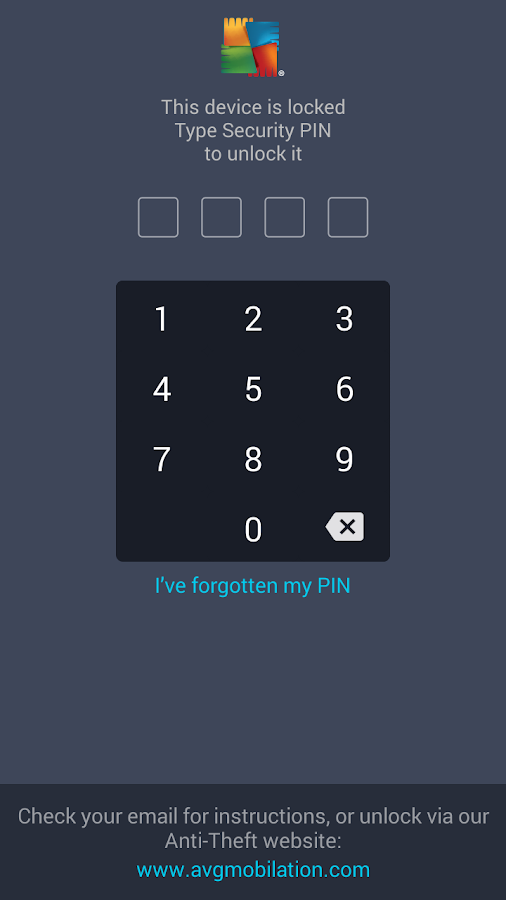
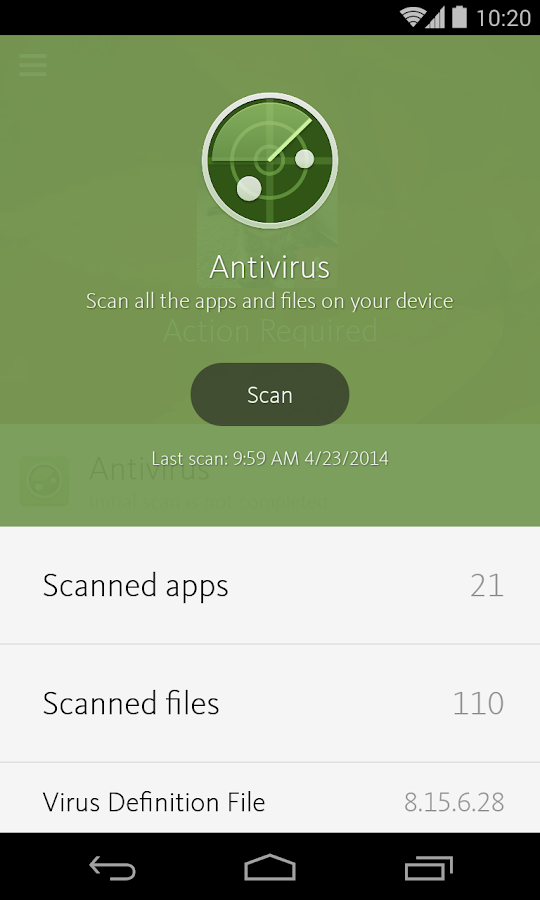
() ေအာက္ပါ Antivirus မ်ားမွ မိမိႏွစ္သက္ရာ Antivirus တစ္ခုကို Install လုပ္ပါ.. မၾကမၾကာ Scan ႏွင့္ စစ္ေဆးေပးပါ။


   AhnLab V3 Mobile Security- screenshot
AhnLab V3 Mobile Security


   Mobile Security & Antivirus- screenshot
 Mobile Security & Antivirus


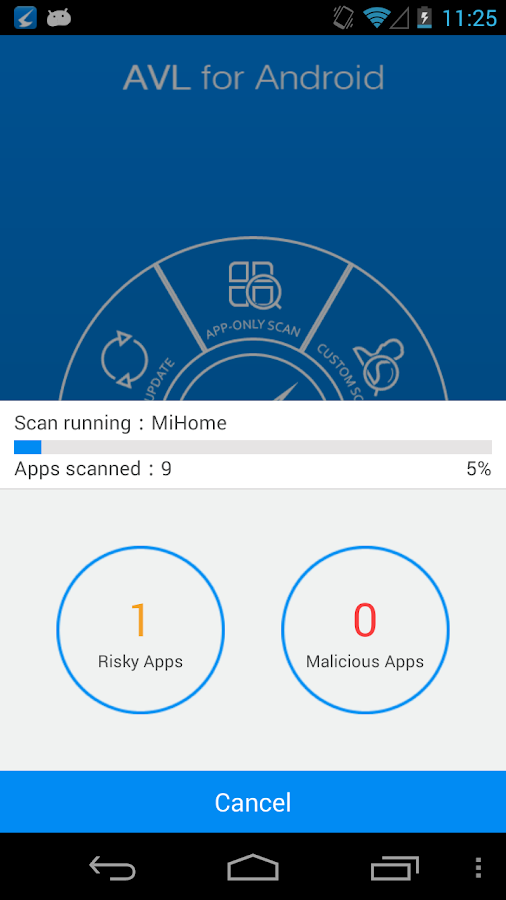
   AVL- screenshot
 AVL Mobile Security


    Mobile Security & Antivirus- screenshot
 AVAST Mobile Security 


    AVG AntiVirus FREE for Android- screenshot
  
    Avira Antivirus Security- screenshot
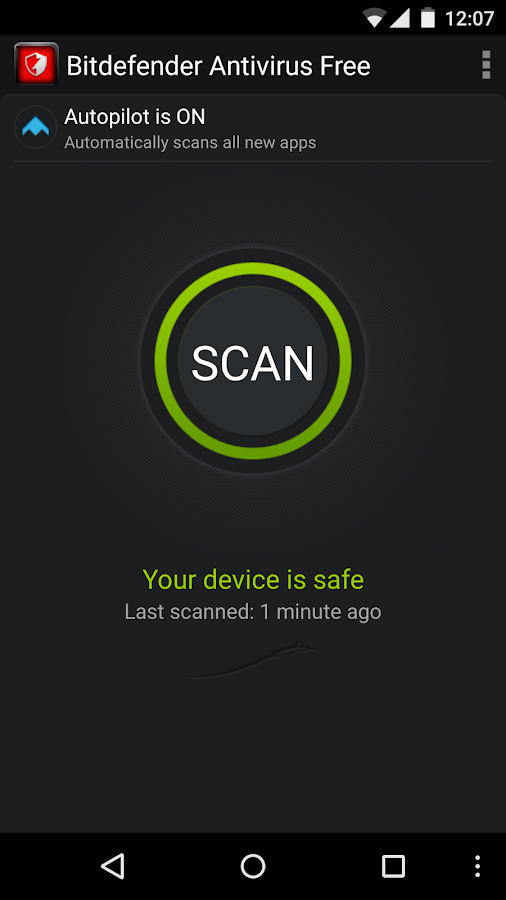
    Bitdefender Antivirus Free- screenshot
    CM Security AppLock AntiVirus- screenshot
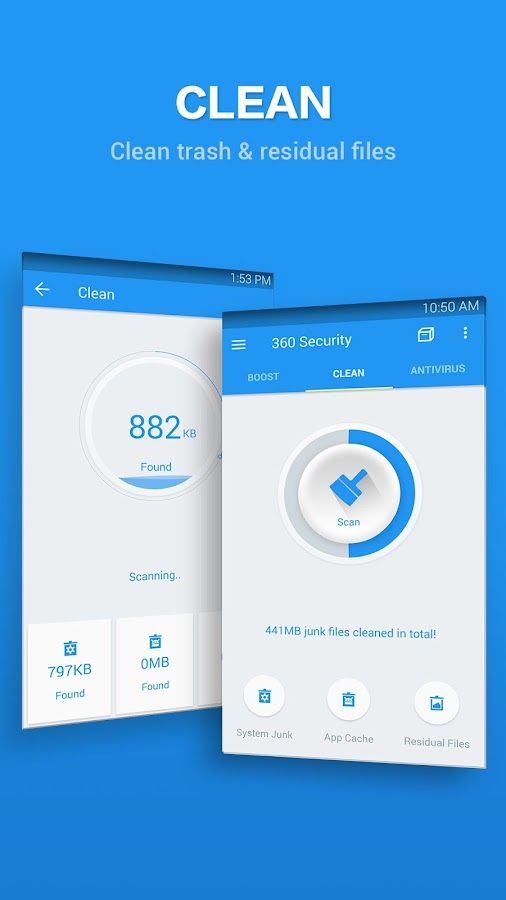
    360 Security - Antivirus Boost- screenshot

(ေဒါင္းယူရတာအဆင္မေျပရင္ ဒီေနရာမွ တဆင့္ေဒါင္းယူႏိုင္ပါတယ္)


ေဖၚျပပါနည္းအတိုင္း Android ဖုန္းတိုင္းမွာ မျဖစ္မေန လုပ္ေဆာင္ထားသင့္ပါတယ္။

Virus ႏွင့္ပါတ္သက္ျပီး Mobile ဖုန္းမ်ားအတြက္ အျခား Update ျဖစ္တဲ႔ Application (APK) သို႔မဟုတ္  ပိုမိုအဆင္ေျပမဲ့ နည္းလမ္းေတြရွိခဲ့လွ်င္  ဒီ Post မွာပဲ Update လုပ္ေပးသြားပါမယ္။


အခုတေလာ Ads Virus ေတြ ပ်ံ႕ႏွံ႔ေနတာေၾကာင့္ မသိေသးတဲ႔ နီးစပ္ရာ သူငယ္ခ်င္းေတြကိုလည္း ျပန္လည္မွ်ေဝေပးဖို႔ မေမ့ပါႏွင့္။


WinKabarKyaw [WKK]
http://winkabarkyaw.net


<<< ေအာက္ကေၾကာ္ျငာကိုတစ္ခ်က္ေလာက္ႏွိပ္ခဲ့ေပးေစခ်င္ပါတယ္ဗ်ာ။ ကၽြန္ေတာ့္ကိုတစ္ဖက္တစ္လမ္းကကူညီရာေရာက္ပါတယ္ဗ်ာ။ >>>


www.pyaephyo.com
Read More ...